
Brand
AVTEK: Projection screens
- 2% back as bonus points
- 14-day right of return

Why choose AVTEK?
AVTEK is aimed mainly at educational and business environments where presentation equipment must be easy to use every day, simple to manage and reasonably priced. Compared with typical general consumer brands, AVTEK's strength is its integrated approach: screens, mounting and control solutions and interactive whiteboards form one coherent set that is easy to match for both a classroom and a meeting room. In practice this means fewer surprises during installation and a clearer choice when the goal is a readable image, the right aspect ratio and a screen size suited to the room.
The AVTEK range suits situations where a screen is used often and different people, such as teachers, trainers or meeting organisers, need to get it working quickly. It is also worth noting that for motorised screens, the AVTEK ecosystem includes add-ons that simplify control, for example synchronisation with the projector via a 12 V trigger. This is a typical "small convenience" that makes everyday use noticeably smoother.
The AVTEK selection in our online shop
In the Ruumist Ruumi online shop, the AVTEK selection is grouped around three main needs: projection screens, projector accessories and interactive whiteboards. On the screen side you will find most of the series, which cover the classic installation methods and use cases. Cinema Electric and other motorised screens are designed for permanent installation, where the screen must move at the press of a button or via a control system and stay as unobtrusive as possible when not in use. Wall Standard screens are for wall or ceiling mounting and suit a simple, manual solution in a fixed room.
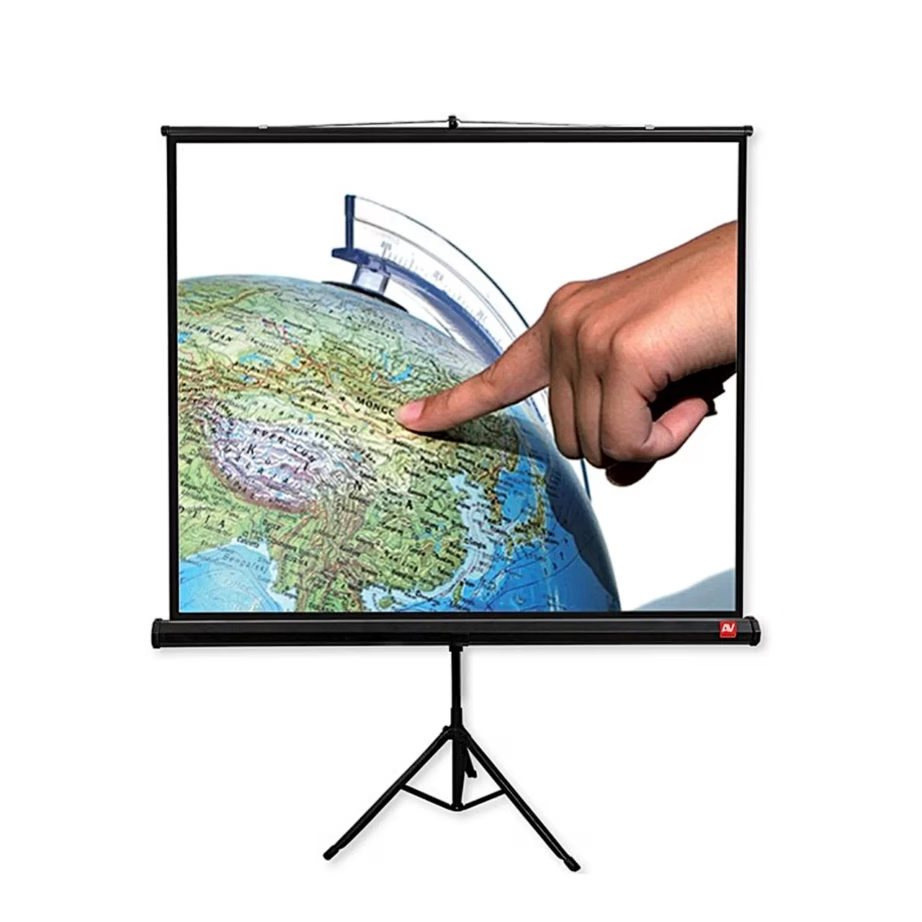
If you need a mobile solution, for example for training sessions or temporary presentation areas, Tripod Standard is designed for exactly that: the screen goes up and down on a tripod and can be moved around the room. Among the projector accessories you will usually find the details that make a complete solution convenient, such as brackets, bags and control-related extras. For automating a motorised screen, the AVTEK range also includes the PROJECTION SCREEN TRIGGER and RF/IR control systems, which let the screen movement be synchronised with the projector's operating cycle. In the interactive whiteboard category, the AVTEK TT-BOARD solutions use IR touch technology and support multiple touch points, suiting classroom collaboration and the use of whiteboard software.
What to consider when choosing an AVTEK product?
For a projection screen, start with the aspect ratio: 16:9 suits most video and presentation content, 16:10 is common in school and office presentations, and 4:3 or 1:1 may be appropriate if you use older content or need more flexible height settings in the room. Next, choose the mounting method and drive: a manually deployed screen is simple and cheaper, while a motorised screen offers more convenience and suits rooms where the screen is used often or must be controlled by remote and automation. When looking at dimensions, always check the viewing surface rather than only the housing or overall screen size, and check whether the screen is designed for ceiling or wall mounting.
When choosing the screen surface, a matte white surface is a universal choice for rooms with controlled lighting, but if the room has a lot of ambient light, think through the projector's light output and the layout. A common concern with manual screens is slight rippling of the surface or curling of the edges, which can be noticeable with certain picture content. If image precision is critical, prefer a mounting solution that keeps the surface as stable as possible, and check the construction details in the product descriptions. When choosing an interactive whiteboard, check the working area dimensions, the aspect ratio and the connection to the computer, usually USB, as well as whether software is included and whether it suits the operating system you use. Exact dimensions, aspect ratios and accessory compatibility information can be found on each product page in the Ruumist Ruumi online shop.
Frequently asked
Choose the aspect ratio mainly according to the content: 16:9 suits video and modern presentation solutions, 16:10 is common in school and office presentations, and 4:3 and 1:1 suit special cases or older formats. The aspect ratio is always stated on the product page, and you can filter your selection by it.
Yes, this is possible when using synchronisation based on a 12 V trigger. The AVTEK range includes the PROJECTION SCREEN TRIGGER and control solutions for this, which help link the screen movement to switching the projector on and off. Before buying, check that your projector has a trigger output and that the chosen screen and add-on device are compatible.
A manual screen suits you if you want a simple solution and use the screen less often. A motorised screen is more convenient for frequent use, gives a cleaner installation and allows control from a remote and, if needed, automation. When deciding, also consider the mounting location and how much moving equipment is in the room.
Many AVTEK screens are designed for mounting on a wall or ceiling, but this depends on the specific model. Check the product description for the type of mounting and the housing dimensions, so that it fits the installation location.
TT-BOARD type interactive whiteboards usually connect via USB, and the package may include the manufacturer's whiteboard software. The product page shows whether the software and the necessary cables are included and which systems it is intended for.
With manual screens, slight rippling or curling of the edges can occur, which is especially noticeable in pictures with precise geometry. If this is critical for your use, prefer a construction and installation that keeps the surface more stable, and choose a suitable screen size and aspect ratio. If the product does not suit you, the Ruumist Ruumi online shop offers a 14-day right of return.
-
166,99 €
- Aspect ratio
- 1:1
- Drive
- Manual
- Installation method
- Freestanding
-
340,99 €
- Aspect ratio
- 4:3
- Drive
- With motor
- Installation method
- Ceiling-mounted, Wall-mounted
-
451,99 €
- Aspect ratio
- 16:10
- Drive
- With motor
- Installation method
- Ceiling-mounted
-
384,99 €
- Screen diagonal
- 121"
- Aspect ratio
- 16:9
- Drive
- With motor
- Installation method
- Ceiling-mounted, Wall-mounted
-
73,99 €
- Aspect ratio
- 1:1
- Drive
- Manual
- Installation method
- Freestanding
-
83,99 €
- Aspect ratio
- 1:1
- Drive
- Manual
- Installation method
- Freestanding
-
158,99 €
- Aspect ratio
- 1:1
- Drive
- Manual
- Installation method
- Freestanding
-
421,99 €
- Aspect ratio
- 4:3
- Drive
- With motor
- Installation method
- Ceiling-mounted
-
442,99 €
- Screen diagonal
- 131"
- Aspect ratio
- 16:9
- Drive
- With motor
- Installation method
- Ceiling-mounted, Wall-mounted


All products shown.





































