
Brand
Maono
- 14-day right of return
- Maono Link support

Why choose Maono?
Maono is aimed primarily at content creators for whom clear voice and communication audio matter, and for whom setup should not take half a day. The brand's strength is flexible connectivity: many microphones are designed for both USB and XLR use, which means you can start with a simple computer and later move on to a separate sound card or mixer without replacing the whole kit. Another clear focus is real-time control: Maonocaster-type sound cards and mixers combine level control, monitoring and effects in one device, which is useful for streaming or recording where you want to make changes immediately. Compared with well-known USB/XLR "hybrid" microphone alternatives, Maono stands out for its combination of value and features, especially if you need a microphone, control and a few accessories all at once.
Maono selection in our online shop
In the Ruumist Ruumi online shop, the Maono selection is grouped into three practical categories: microphones, external sound cards and cables. Among the microphones you will find solutions suited to gaming chat, streaming and podcast recording, including models that offer a USB connection for quick "plug-and-play" use, and models that also have an XLR output so the microphone can be connected to a separate sound card or mixer. In the external sound card category there are Maonocaster series devices, designed for podcasts and live shows: physical knobs for adjusting levels, input routing, and the option to add real-time effects or use sound pads for intros and signature sounds. Under cables you will find the connections needed to link the microphone and sound card correctly. Some Maono products come with the Maono Link software for setup and control, which helps you conveniently manage, for example, microphone sensitivity, monitoring volume and (if the model supports it) lighting settings.
What to consider when choosing a Maono product?
The first question is the connection type. If you want simple start-up on a computer, choose a USB microphone or a USB/XLR combo model, and check whether you need direct headphone monitoring from the microphone or sound card. If you plan to use a separate sound card or mixer in the future, it is worth preferring a model with an XLR connection, as this gives you more flexibility in the signal chain and in choosing the microphone cable length. Second, think about the environment of use: a dynamic microphone is often more suitable if the room is echoey or there is more background noise, whereas a condenser microphone can capture more detail but is more sensitive to its surroundings. Third, look at the pickup pattern: cardioid helps you focus on the voice in front of the microphone and reduces noise coming from the sides, but it requires you to speak at the right angle to the microphone. If you choose a Maonocaster or other external sound card, keep the principle of gain staging in mind: input sensitivity set too high can make background noise audible, while setting it too low forces you to over-amplify the recording later. Finally, check the accessories: a suitable microphone arm or stand keeps the microphone stable, and the right cable (for example XLR) avoids the situation where your setup is missing just one connection.
Frequently asked
Yes, the Maono selection includes microphones that support both USB and XLR connections. If you plan to use a separate sound card or mixer in the future, choose a USB/XLR model and check the product page to see which cables and connections are included in the kit.
An external sound card or Maonocaster connects an XLR microphone to your computer, lets you adjust input sensitivity and monitoring, and allows you to make audio changes in real time. This is especially useful for streaming and podcasting, when you want to control levels and effects quickly with the knobs.
Not in every case, but for some Maono microphones and features (for example sound settings or lighting settings on models that offer them) Maono Link is a convenient way to set things up. We recommend checking the description of the specific product to see whether software support is necessary or just an extra option.
It depends on the connection. For USB use you need a suitable USB cable to the computer or hub; for XLR use you need an XLR cable between the microphone and the sound card or mixer. If you move from USB to XLR, make sure you also have a sound card or mixer with an XLR input in addition to the microphone.
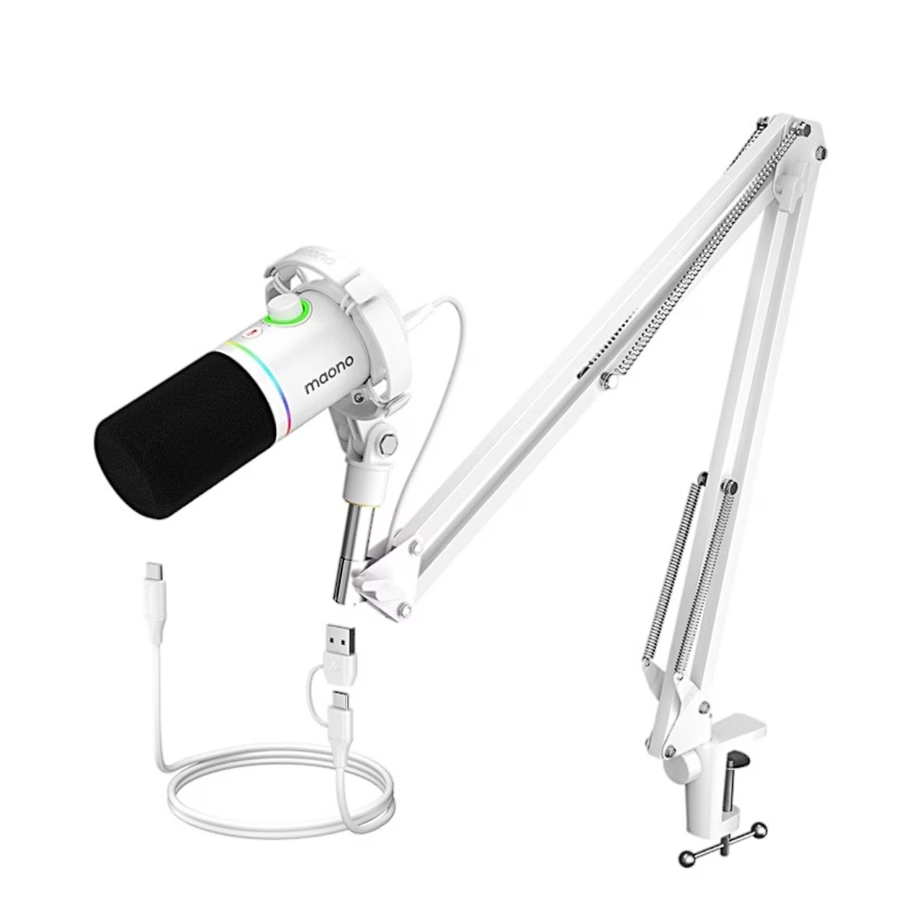
-
72,95 €
- Microphone type
- Dynamic
- Connectivity
- USB cable, XLR
- Features
- Mute button
- Colour
- White
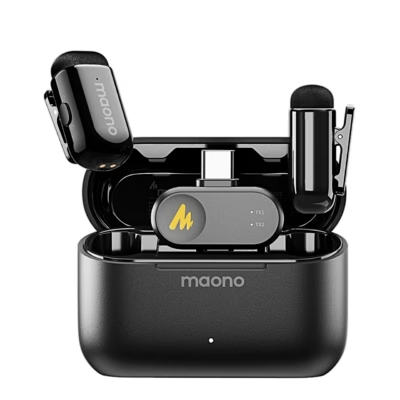
-
41,95 €
- Microphone type
- Lavalier microphone
- Colour
- Black
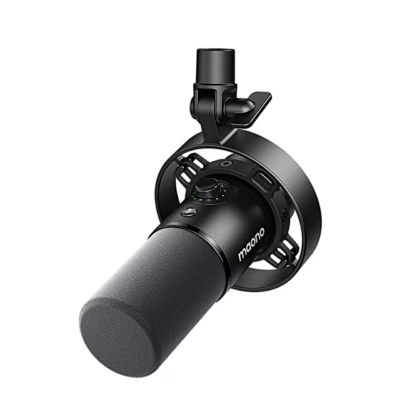
-
72,95 €
- Microphone type
- Dynamic
- Colour
- Black
-
60,95 €
- Microphone type
- Condenser
- Connectivity
- USB cable
- Colour
- White
-
60,95 €
- Product type
- Microphone boom pole
-
48,95 €
- Microphone type
- Dynamic
- Connectivity
- USB cable, XLR
- Features
- LED light
- Colour
- Black
-
38,95 €
- Microphone type
- Dynamic
- Connectivity
- XLR
- Colour
- Black
-
34,95 €
- Microphone type
- Condenser
- Connectivity
- USB cable
- Features
- LED light, Microphone noise cancelling, Mute button
- Colour
- White
-
72,95 €
- Microphone type
- Dynamic
- Connectivity
- USB cable, XLR
- Features
- LED light
- Colour
- Black
-
43,95 €
- Microphone type
- Condenser
- Connectivity
- USB cable
- Features
- LED light, Microphone noise cancelling, Mute button
- Colour
- Black
-
33,95 €
- Microphone type
- Condenser
- Connectivity
- USB cable
- Features
- LED light, Microphone noise cancelling, Mute button
- Colour
- Black
-
43,95 €
- Microphone type
- Condenser
- Connectivity
- USB cable
- Features
- LED light, Microphone noise cancelling, Mute button
- Colour
- White
-
42,95 €
- Microphone type
- Condenser
- Connectivity
- USB cable
- Features
- LED light, Microphone noise cancelling, Mute button
- Colour
- Black
-
62,95 €
- Microphone type
- Dynamic
- Connectivity
- USB cable, XLR
- Features
- LED light, Microphone noise cancelling, Mute button
- Colour
- White
-
62,95 €
- Microphone type
- Dynamic
- Connectivity
- USB cable, XLR
- Features
- LED light, Microphone noise cancelling
- Colour
- Black
-
-
109,95 €
- Connectivity
- Bluetooth
-
55,95 €
- Connectivity
- Bluetooth


All products shown.







































