
Brand
Sony: Game consoles
- Audio equipment for sale
- 14-day right of return
- Tempest 3D AudioTech

Why choose Sony?
Shoppers looking for Sony usually want two things: reliable sound and smooth compatibility with PlayStation accessories. If your aim is to play on a PS5 so that controller feedback and sound give the action more "feel", Sony's own accessories are often the most direct way to that experience. DualSense haptics and adaptive triggers let developers set controller feedback per game, and Tempest 3D AudioTech creates a more spatial sound field in supported games. Compared with other ecosystems, the PS5 emphasises controller immersion and the experiential side of the game, not only familiar button layouts.
This approach suits a gamer who values plug-and-play use and wants the accessories to work together logically with the console: controller, headphones, remote play device and VR add value especially when they are matched with each other. If universal compatibility across different platforms is your top priority, check compatibility especially carefully when choosing.
The Sony range in our web shop
The Ruumist Ruumi web shop has dozens of Sony products, which fall mainly into two groups. First, audio and sound equipment: Bluetooth headsets and headphones suitable both for listening to music and for calls. Second, the PlayStation world: gaming consoles, controllers, VR headsets and handheld solutions designed to extend PS5 use.
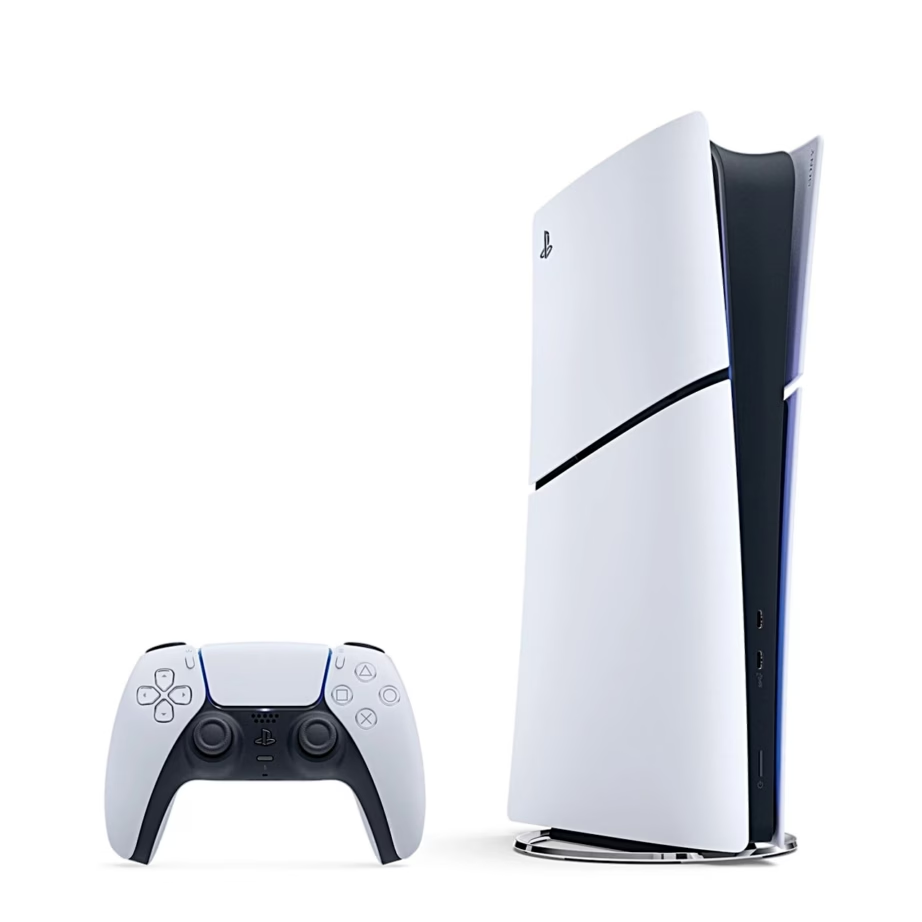
Among controllers you will usually find the DualSense, and in some cases special editions aimed more at customisation and extra buttons. Among consoles there are PS5 variants, where the difference often comes down to how you play games and whether you prefer physical discs or a digital library. Among handheld devices you will find a PlayStation Portal-type remote play device, designed for PS5 Remote Play over Wi-Fi, so you can play on a screen-equipped device even when the TV is in use. In the VR category there is PlayStation VR2, designed for the PS5 and opening up VR games and experiences. If you focus on game sound, it is also worth looking at the PlayStation PULSE series headphones, made to use the PS5's sound capabilities.
What to consider when choosing a Sony product?
Start with platform compatibility. Many Sony gaming accessories are designed primarily for the PlayStation 5, but some products also work with PC, Android and iOS. The product page usually states this under "supported gaming platforms". If you plan to use a controller on a computer or phone, note that some special features may depend on the connection type and the game's own support.
For connections and protocols, check what your use requires. Bluetooth headsets may support different Bluetooth profiles (e.g. A2DP for music, HFP and HSP for calls, and the AAC audio codec), which affect how comfortably the device works with different phones and computers. If you prefer the most stable connection or want to charge and use at the same time, check whether a USB or USB-C cable is included. For consoles, look at the Wi-Fi standards (e.g. Wi-Fi 5 or Wi-Fi 6) and whether an HDMI cable and power cable are included.
If you are considering a PlayStation Portal, the key question is your home network. Remote play quality depends on Wi-Fi stability, the router's location and, where possible, whether the PS5 is connected by a network cable. For PlayStation VR2, check that you have a PS5 console and a VR2-compatible game, because VR headsets are not a standalone console. Finally, choose the colour and style that suits you: common tones are black, white, blue and red, which helps the set match your other devices.
Frequently asked
Under the Sony brand we mainly offer PlayStation ecosystem products and accessories (consoles, controllers, VR headsets, handheld solutions) as well as audio and sound equipment such as Bluetooth headsets and headphones. You can see the exact selection with the filters on this page's product gallery.
Some Sony controllers support PC, Android and iOS, but the range of features may differ depending on the platform, the game and the connection type (Bluetooth or USB). Always check the "supported gaming platforms" and connection information on the specific product page.
The PlayStation Portal is designed for PS5 Remote Play, meaning it streams the game from your PS5 over Wi-Fi. The best experience comes from a stable home network and good router coverage, because latency and picture quality depend mainly on the connection.
To use PlayStation VR2 you need a PlayStation 5 console and a PS VR2-compatible game. Before buying, check that the game you want supports VR2 and that you have the necessary additional equipment included or available separately.
They describe what the Bluetooth connection is used for: A2DP is for music, HFP and HSP for calls, AVRCP allows playback buttons (play/pause, next track), and AAC is an audio codec supported by many phones. If you use headphones for both calls and music, the profiles have a practical effect.
-
946,99 €
- Platform
- PlayStation 5
- Internal storage
- 825 GB
All products shown.



































