
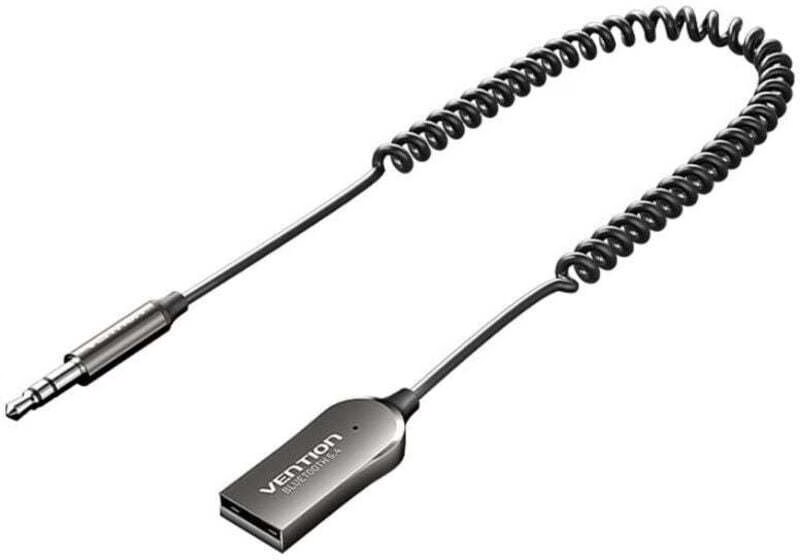
Brand
Vention: Car audio
- 14-day right of return
- N52 MagSafe cases with magnets

Why choose Vention?
Vention's strength is a logical, standards-based world of connection accessories: cables and adapters, where before buying you can check what type of connection and which capabilities you need exactly. This reduces situations where a home cinema, monitor or docking station is "almost working", but the picture does not come through, the refresh rate is wrong or the network does not reach the expected speed.
Besides cables, Vention's range also includes phone protection accessories, especially MagSafe cases. If your day involves a lot of connecting, disconnecting and swapping accessories, it is convenient that a large part of the necessary add-ons can be found under one brand and the technical details are clearly understandable.
The Vention range in our online shop
In the Ruumist Ruumi online shop, the Vention range mainly covers three use cases. First, picture and sound connections: video cables and matching adapters to connect a computer, games console, TV, projector or monitor with the right standard. Second, network solutions: network cables, including higher-category cables and shielded variants, if you want a stable connection for example for a workplace, gaming or moving larger amounts of data. Third, the USB world: USB cables, adapters, connections and converters, with which you can link USB-A and USB-C devices together or solve situations where a device has one port but you need several connections.
For phones, you will find Vention MagSafe cases, where the product descriptions usually list the MagSafe support, the magnet strength and the protective elements separately. Common features include raised edges around the screen and camera module, impact absorption and a microfibre lining that helps keep the back of the phone free from scratches. The materials are mostly practical for everyday use, for example PC + TPU or liquid silicone, and colour options range from clear to black, blue, purple and pink.
What to consider when choosing a Vention product?
Start with compatibility and your usage scenario. For cables and adapters, check which connections are on both ends and which standard you need. For example, when choosing a video cable, it is decisive whether you need a newer HDMI standard or an earlier one is enough, and what the actual resolution and refresh rate support of your devices is. For network cables, think about whether the cable category and shielding will really give you an advantage in your home or office, or whether it is more sensible to choose a solution of suitable length and flexibility that is easy to install.
When choosing a MagSafe case, first check whether your iPhone model is clearly named in the product, because compatibility is the most important factor for cases. Then choose by features: whether you want MagSafe support, wireless charging, dust protection, or rather maximum impact protection and raised edges. If you use a MagSafe car holder, wallet or power bank, pay attention to the magnetic strength figure (for example 7–8.5 N or 8–9 N), because it affects how firmly the accessory stays in place. In terms of material, liquid silicone gives a good grip for everyday use, while PC + TPU suits those who want a more rigid shape and often a clear appearance.
Frequently asked
It is worth starting from which ports your devices have and what picture capability you need. Check whether the cable lists a suitable standard (for example HDMI 2.0 vs HDMI 2.1, or the DisplayPort version) and whether it covers your resolution and refresh rate. If you use a USB-C solution, make sure your computer or phone supports video output via USB-C.
Not always. The USB-C shape is the same, but not all USB-C ports output video. Before buying, check the device's technical information to see whether USB-C supports a video mode (for example DisplayPort Alt Mode or Thunderbolt). If that support is missing, the right cable will not get a picture through either.
On a home 1 Gbit/s network, Cat6 is usually sufficient. If you want more headroom, have 10 Gbit/s devices, or the cable runs close to sources of interference, Cat6A with shielding may be sensible. Cat7 and Cat8 are rather for when you know exactly why you need them and your network and devices can benefit from them.
It is a figure given by the manufacturer that helps you assess how strong the magnetic connection to MagSafe accessories is. If you often use the phone in a MagSafe car holder or attach a wallet to it, a higher magnetic strength and a proper magnetic ring construction are usually more stable. However, the accessory itself and its placement also affect the experience.
If the product lists MagSafe and wireless charging among its features, the case is intended for both magnetic accessories and wireless charging. Thickness, material and the magnetic ring construction can affect charging convenience, so it is worth checking the product description's features and compatibility.
-
18,49 €
- Product type
- Bluetooth receiver
All products shown.