
Brand
Xerox: Drums and maintenance units
- 14-day right of return
- Genuine Xerox Supplies Validation Tool

Why choose Xerox?
Genuine Xerox accessories are preferred when printing is part of the work process and every interruption costs time. Genuine toner and genuine drum are designed to work together with the mechanics and software of a specific Xerox device, so that text and alignment stay even and colours remain stable throughout the life of the cartridge. Xerox also pays close attention to preventing counterfeit goods: its accessories use security markings, and there is a way to verify authenticity.
When comparing genuine accessories with various third-party alternatives, the main difference is predictability. With non-genuine cartridges the experience can be uneven: in some cases the toner level readings may be inaccurate or the device may show warning messages. That is why Xerox suits offices and home offices where clear compatibility and a consistent result are preferred over experimenting.
Xerox range in our e-shop
The Ruumist Ruumi range includes toner cartridges for Xerox printers, focusing on a small but practical selection of the most typical replacements. The main emphasis is on genuine toner, both black and colour, so that you can restore the full working capacity of the device without a compatibility risk. The range may include toner in standard capacity as well as higher-capacity versions, depending on whether you print rarely or print daily under heavier load.
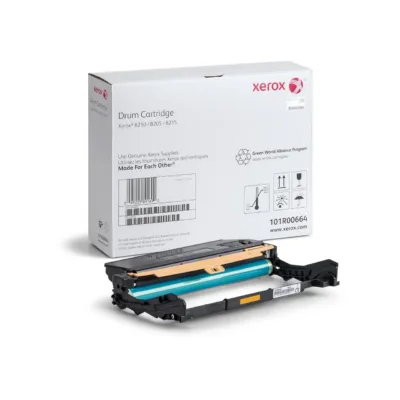
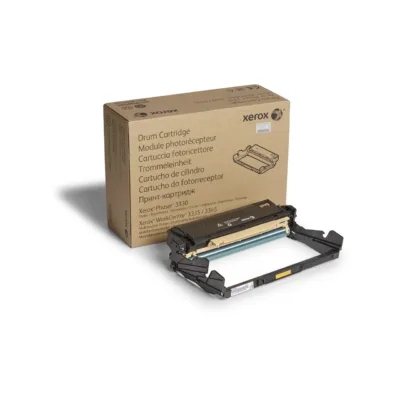
Besides toner, you will also find selected drums here. The drum is a separate wearing part that directly affects the cleanliness and sharpness of the print image, especially when you notice shading, streaks or uneven coverage in the background. In some sets the product is supplied as a single item, and in some cases as a multipack, which is a convenient solution if you manage several devices of the same type or want to buy in advance. Xerox toners are also associated with Xerox® Emulsion Aggregation (EA) Toner, which Xerox has said melts at a lower temperature and supports oil-free fusing, with the aim of reducing energy consumption and keeping printing stable.
What to consider when choosing a Xerox product?
The most important selection criterion is compatibility with your specific printer or multifunction device. Always check the exact model name of your device and choose a product whose compatibility is clearly stated on the product page. Equally important is deciding whether you need black or colour toner. In colour printing the toners come in separate shades, so make sure you buy exactly the colour the device asks for.
The next step is page yield. If you print little, a standard toner may be a sensible choice. If you print regularly or in larger volumes, it is worth looking at higher-yield variants, because they reduce how often the cartridge needs replacing and help avoid interruptions to work. Also check whether you need only toner or whether the drum is also due for replacement. If print quality deteriorates even after changing the toner, the cause may lie in the drum.
Finally, take into account the quantity in the package. A single cartridge suits a quick replacement, while a multipack is convenient if you want a stock or manage several devices. If your goal is to avoid counterfeit goods, use Xerox's authentication options and prefer genuine products. For used accessories, it is worth reviewing the terms of the Xerox Green World Alliance® programme if you want to return cartridges for recycling.
Frequently asked
Check the exact model name of your device and compare it with the compatibility information given on the product page. If in doubt, look up the model on the device's menu or label and choose a genuine toner with matching compatibility.
Toner is the powder the printer uses to coat the page. The drum is a wearing part that helps transfer the image onto paper, and its wear can cause streaks, shading or uneven print. In some devices they are replaced separately.
XL refers to a higher page yield, meaning the cartridge lasts longer. It suits you if you print often or in larger volumes and want to replace supplies less frequently.
Some devices check the authenticity and compatibility of their supplies. Xerox has stated that it cannot guarantee print quality with non-genuine toner, and toner level readings may be unreliable. If you want to avoid warning messages and compatibility risks, choose a genuine toner.
Xerox offers the Genuine Xerox Supplies Validation Tool, which lets you check the authentication number of the security marking on the supply. Before installing, make sure the security marking on the packaging is intact and legible.
-
74,99 €
- Original or compatible
- Original
-
86,99 €
- Original or compatible
- Original
All products shown.