
Brand
Xiaomi: Power banks
- Smart devices for sale
- 14-day right of return
- Xiaomi HyperOS

Why choose Xiaomi?
Xiaomi suits a buyer who wants many features within one ecosystem, whether the focus is a phone or home cleaning technology. The practical value comes from the fact that setting up several devices and using them day to day is not a patchwork of different apps and accounts, but gathers in the Xiaomi Home (Mi Home) app. This makes it easier to manage, for example, cleaning schedules, room-based cleaning or lighting settings.
Compared with competitors, Xiaomi is often preferred when people look for a strong balance of price and features, but it is worth considering the software experience. HyperOS and the earlier MIUI may differ by model and region, including in pre-installed apps and settings. If you value as "clean" a user interface as possible, it is sensible before buying to check which software version and regional settings your device will come with.
Xiaomi range in our online shop
In the Ruumist Ruumi online shop, Xiaomi includes both smartphones and home smart devices that make everyday life easier. For smartphones, the range includes different colours and configurations, and it is worth noting how your usage habits split between photos, video, games and work. If you take many photos and films, also look at the video modes (for example 1080p, 2160p or 4320p), since this determines how detailed the material will be for later editing or sharing.
In cleaning technology the focus is on robot vacuum cleaners and stick vacuum cleaners. For robots, comfort depends mainly on mapping and room-based control: you can set cleaning times, choose the areas the robot goes to, and keep the routine consistent. Stick vacuum cleaners suit quick cleaning in the kitchen, the hallway or a home with pets, where you often need a "grab and clean" solution.
Besides the devices, we also have Xiaomi vacuum cleaner accessories, such as filters, brushes and mop accessories. This matters because the performance of a robot or a vacuum cleaner stays good mainly with regular maintenance and the use of the right consumables. The range also includes desk lamps, suitable for a work or study corner, especially if you prefer adjustable light and the option to link the lamp to a home smart system.
What to consider when choosing a Xiaomi product?
When choosing a smartphone, start with connectivity and media use. If you have a fast network at home or your router supports newer solutions, check the Wi‑Fi standard (for example Wi‑Fi 4 or Wi‑Fi 5). When recording video, think about whether 1080p resolution is enough for you or whether you need 4K and above, and whether the phone suits your workflow if you edit material or back up large files on the move. If you listen to music from local files, it is also worth checking the supported audio formats, for example AAC or FLAC.
For a robot or stick vacuum cleaner, the most common mistake is the compatibility of accessories. Filters, side brushes, roller brushes and mop pads are often made for a specific series, so always check compatibility on the product page before buying and compare it with your device's name and variant. If you have a lot of hard flooring at home and mopping is important, choose a device whose wet cleaning fits your routine, and remember that mop accessories also need regular replacement or washing.
For a desk lamp, think about where it will be used: whether you need wide, even light over a work surface or softer light for evening reading. If you want control through your phone, check whether the lamp connects via Wi‑Fi and whether it works with your smart home solutions in the Xiaomi Home environment. This avoids the situation where the lamp works with its physical button but the automation goes unused.
Frequently asked
No. Filters, brushes and mop pads are often model- or series-specific. Check compatibility on the product page and compare it with your device's name and variant; if you are unsure, ask before ordering.
Many Xiaomi smart devices are designed to be managed in the Xiaomi Home (Mi Home) app. There you can add a device, connect it to your home network, and make basic settings and automations.
Device support may vary by region, so if a device does not appear in the app, check the region setting of your account and the manual. Before buying, it is sensible to make sure your device's functions are supported in your region.
Yes, the software layer and pre-installed apps may differ by model and region. If a particular user interface or as few extra apps as possible matters to you, check the product description and the information for your device's software, and adjust the privacy and system settings right at the start.
It depends on the model. Product descriptions usually list the video modes (e.g. 720p, 1080p, 2160p or 4320p). Choose a phone according to whether you mainly record everyday video or need higher resolution and more detail.
-
72,99 €
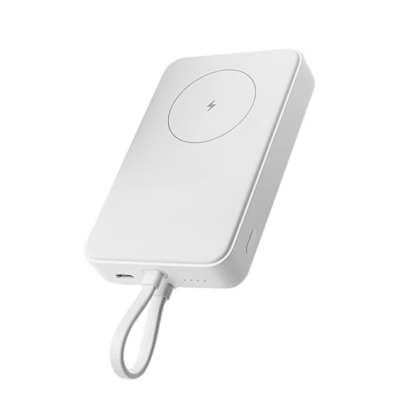
- Battery capacity
- 5000 mAh
- Power
- 15 W
- Output ports
- USB-C
- Features
- Wireless charging
-
46,99 €
- Battery capacity
- 10000 mAh
- Power
- 33 W
- Output ports
- USB-C
- Features
- Built-in cable, Quick Charge, USB Power Delivery, Wireless charging
-
19,99 €
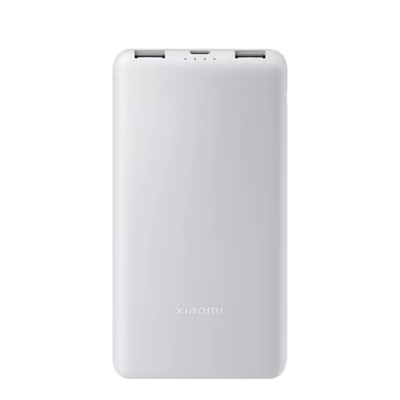
- Battery capacity
- 10000 mAh
- Power
- 22.5 W
- Output ports
- USB-A, USB-C
- Features
- Cable included
-
33,99 €
- Battery capacity
- 10000 mAh
- Power
- 33 W
- Output ports
- USB-A, USB-C
- Features
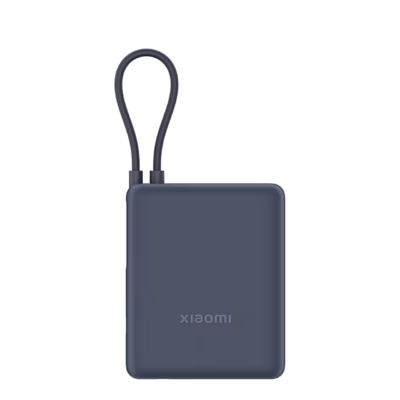
- Built-in cable
-
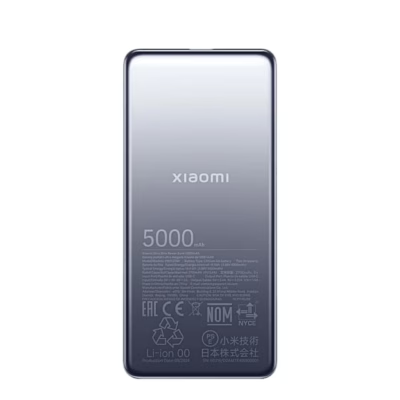
30,99 €
- Battery capacity
- 5000 mAh
- Power
- 20 W
- Output ports
- USB-C
- Features
- Cable included
-
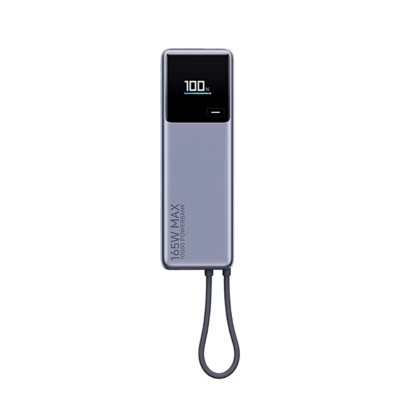
59,99 €
- Battery capacity
- 10000 mAh
- Power
- 165 W
- Output ports
- USB-C
- Features
- Built-in cable, Display, Quick Charge, USB Power Delivery
-
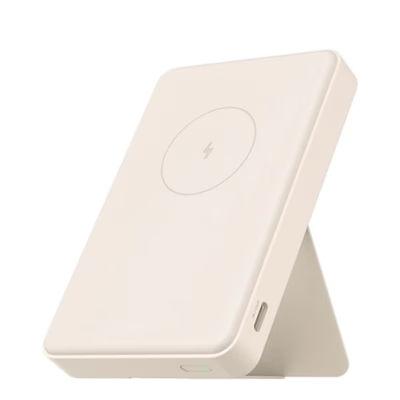
56,99 €
- Battery capacity
- 6000 mAh
- Power
- 18 W
- Output ports
- USB-C
- Features
- Stand or ring, Wireless charging
All products shown.




































