
Brand
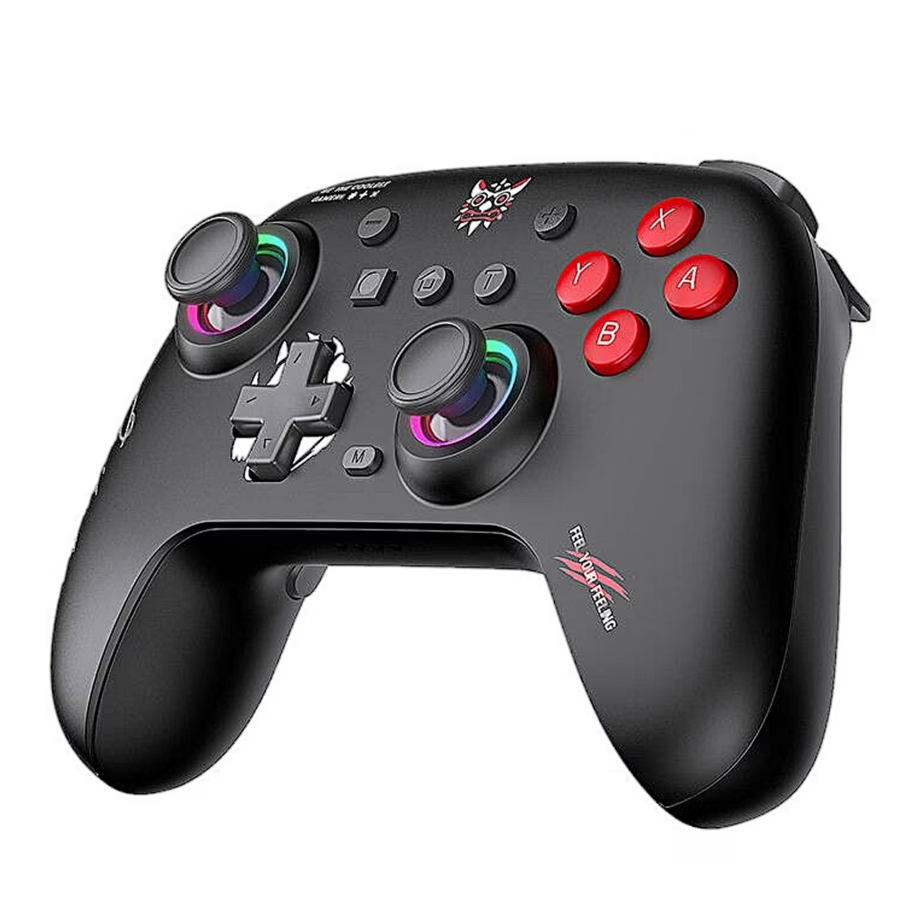
ONIKUMA: Gamepads
- 14-day right of return

Why choose ONIKUMA?
ONIKUMA is best suited if you are looking for a clear, practical set for a gaming or computer desk: a mouse, keyboard, mouse mat and a headphone holder that helps keep the work surface tidy. The brand's range includes many RGB-lit accessories that give a unified look to both gaming and home office setups.
Compared with well-known top-tier gaming brands, ONIKUMA sits in a more affordable price range. This means the focus is on everyday functions and appearance rather than exotic materials or the highest-level specifications. If your priority is easy setup and a solution that simply does the job, this approach is often a sensible choice.
It is also worth bearing in mind that user experiences mention uneven quality control. It is therefore sensible to review the product details, connections and compatibility and choose the exact variant that suits your way of use.
The ONIKUMA range in our e-shop
In the Ruumist Ruumi e-shop, the ONIKUMA range is built around the main desk accessories. The mice include both wireless and wired solutions. For a wireless variant, check whether the connection uses a 2.4 GHz USB receiver and whether the DPI is easy to adjust, so that you can use the same mouse for both work and gaming.
Among the keyboards there are wired models, including compact layouts that leave more room for the mouse. Some ONIKUMA keyboards use a Tea Axis type switch mechanism, described as a combination of membrane and light mechanical feel. If you do a lot of typing, think carefully about the switch type and layout, as these affect both the noise level and the familiar key feel.
Among the accessories we offer ONIKUMA headphone holders, which are not only a base but may also include USB ports and a 3.5 mm audio output. This is useful if you want to reduce cable clutter on the desk and make connections easier from one place. Mouse mats complete the set: a large-surface mat helps the mouse move smoothly, and the RGB-edged version adds a unified line of light to the desk.
What to keep in mind when choosing an ONIKUMA product?
When choosing a mouse, start with the connection and your usage style. A wired mouse is trouble-free if you always sit at the same desk. A wireless mouse is better suited if you move around with a laptop or prefer a cable-free desk, but then check how the battery is charged and remember that RGB lighting can shorten the working time. For precision, look at the range of DPI steps and whether you need extra buttons for quick commands.
For a keyboard, first decide on the layout. A compact, roughly 60 percent solution gives the mouse more room, but may take some getting used to for function keys. An 80 percent or full-size layout suits you if you often use the arrow keys, a separate function row or a number pad. If you game, it is also important that multiple simultaneous key presses are registered smoothly, so that movement and skills do not "drop out" because of input problems.
For a headphone holder and mouse mat, check the practical dimensions and connections. If you want to use the holder as a USB hub too, check the number of ports and the cable length. For a mouse mat, decide whether you need a large surface, a non-slip base, and whether RGB effects should be controlled with a single button or you prefer a version without lighting at all. The product pages give exact technical details, so you can check compatibility and suitability calmly before buying.
Frequently asked
This brand page features ONIKUMA computer and gaming accessories, mainly wireless mice, wired mice, wired keyboards, headphone holders and mouse mats. The exact selection can be seen in the product list.
A wired mouse suits you if you prefer a consistently stable connection and do not want to think about charging. A wireless mouse is good for cable-free desks or for use with a laptop, but consider battery life and charging needs, and the fact that RGB lighting can reduce working time.
Some ONIKUMA headphone holders have USB ports and a 3.5 mm audio output in addition to the base, which makes connecting things on the desk more convenient. The exact connections are listed on the product page of the specific holder.
It depends on the layout and switch type. A compact keyboard leaves more room for the mouse and suits gaming, while a larger layout is more comfortable for everyday work. On the product page you can see whether the keyboard is mechanical or uses the Tea Axis solution, and what the key count and connection are.
-
21,95 €
- Platform
- Nintendo Switch, PC
- Connectivity
- Bluetooth
- Features
- Vibration
All products shown.



































