



Description
Defender GM-709L Warlock wireless RGB gaming mouse for professional gaming
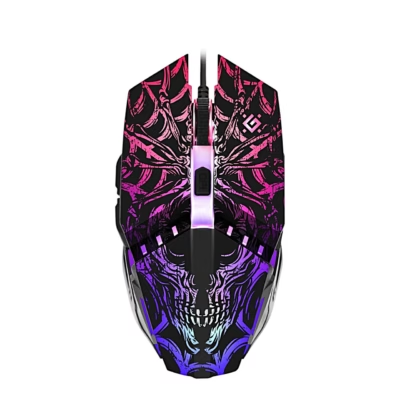
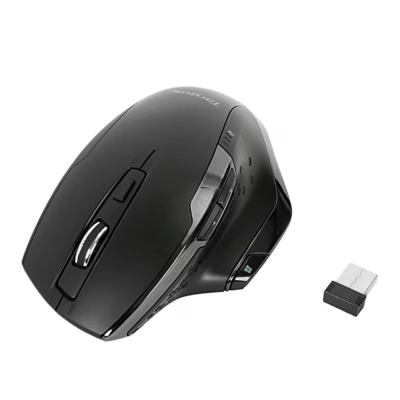
The Defender GM-709L Warlock is a black, ergonomic and ventilated wireless gaming mouse that suits both casual gamers and more demanding users. The product combines cutting-edge technology, a comfortable design and vivid multi-mode RGB backlighting, and is optimised for longer use. The right-hand shape and the lightweight plastic body with a honeycomb structure ensure a comfortable grip and better airflow even during intense gaming. Thanks to modern technical solutions, the mouse allows quick reactions and personalised control.
Key features
- Wireless connection: RF Wireless + USB Type-A dongle, working range up to 10 m
- RGB backlighting: Multicolour LED, 5 different lighting modes, fully customisable
- High-performance optical sensor: Movement resolution up to 2400 DPI, enabling precise gaming
- Right-handed ergonomics: Ideal shape for everyday and long gaming sessions
- Ventilated plastic body: Honeycomb structure reduces heating and lets the light shine through
- 5 programmable buttons: Macro button support, all main functions within easy reach
- Rechargeable battery (400 mAh): MicroUSB cable included, easy to charge, no removable battery
- Defender Game Center software: Full management of profiles, macros and lighting (Windows only)
- Universal use: Suitable for both fast gaming and everyday computer work
Technical specifications
- Dimensions: 123 x 166 x 51 mm
- Weight: 166 g
- Body material: black plastic, ventilated design
- Form factor: right hand
- Interface type: RF Wireless + USB Type-A receiver
- Charging: via MicroUSB cable
- Number of scroll wheels: 1
- Number of buttons: 5 (programmable, pressed type)
- DPI levels: up to 2400 DPI
- Motion detection technology: optical
- Maximum working range: 10 m
- Battery capacity: 400 mAh
- Backlighting: RGB, 5 modes, multicolour
- Number of macro buttons: up to 5
- Certificates: RoHS, CE
- Included in the box: 1 × gaming mouse, MicroUSB cable, USB receiver
Instructions for use
The mouse connects automatically via the USB receiver (plug and play). For more detailed setup and for programming macros or lighting, download the Defender Game Center software (Windows only). During use, make sure the battery is sufficiently charged; to charge it, connect the supplied MicroUSB cable. For regular maintenance, we recommend cleaning the surface with a soft microfibre cloth, avoiding liquids, and checking the ventilation openings for dust once a week.
The mouse can be used on all types of surface, and its compact size means it fits a standard computer desk or mouse mat. Thanks to its ventilated and lightweight body, the mouse is also suitable for longer gaming sessions, helping to prevent the palm from overheating.




















































Reviews
There are no reviews yet.