

Description
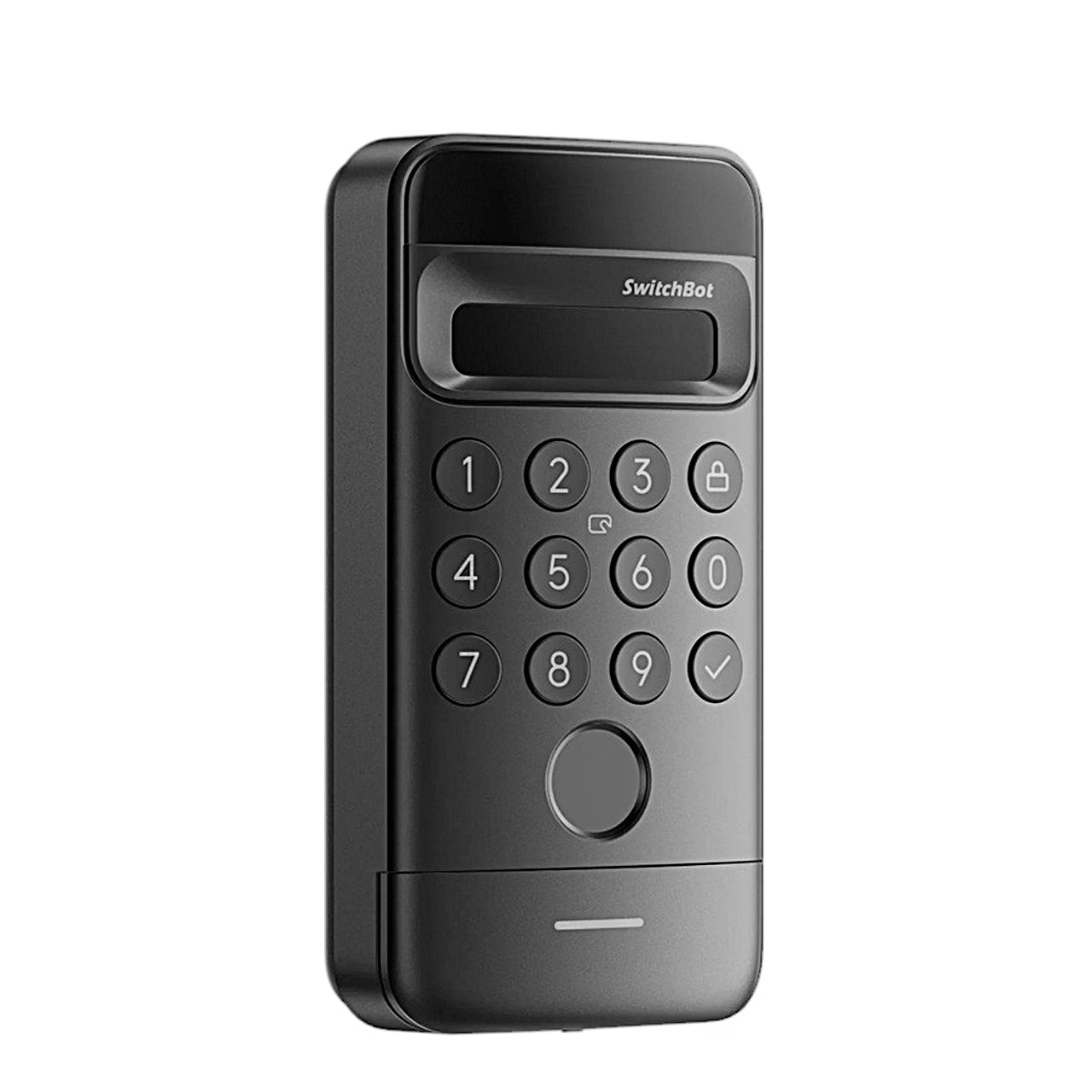
The SwitchBot Keypad Vision door keypad with face recognition makes entering quick and secure
If you want to open the door without searching through your pockets, the SwitchBot Keypad Vision is a practical solution. Its 3D face recognition identifies the user in about 1 second, so that the door opens quickly and touch-free. It suits the entrances of homes and small offices, where convenience, several ways of access and weather resistance at the IP65 level are valued.
Main features
- Fast 3D face recognition opens the door in about 1 second, which means smooth entry even when your hands are full.
- Up to 9 ways to open: face, fingerprint, PIN code, NFC, card, mechanical key, voice command, Bluetooth and smartwatch give flexibility for every situation.
- The 5000 mAh battery lasts about one year in normal use, so the device rarely needs charging.
- IR backlight and dual light sensors ensure operation both day and night, and the night mode is quiet at under 20 dB so as not to disturb others.
- The IP65 protection class keeps rain and dust away and suits use both indoors and outdoors.
- Wireless installation with tape without drilling saves time and avoids damaging the door; if necessary, the included screws can also be used.
- App support: local opening works via Bluetooth, remote access and status monitoring require the SwitchBot Hub.
- Four code types: permanent, one-time, temporary and hidden codes simplify sharing access with family members, guests or a cleaning service.

SwitchBot Keypad Vision door keypad with face recognition
The device uses 3D face recognition and identifies a face in about 1 second. Touch-free opening helps reduce attempts to cheat with photos or video clips, because spatial scanning is used. This lets you open the door conveniently without searching for your phone or keys and keep entering quick and simple.

Reliable operation at any time
The built-in infrared backlight and two light sensors allow a face to be recognised both in sunlight and in pitch darkness. The automatic night mode works more quietly than 20 dB, which helps avoid disturbing those at home on night-time arrivals. Thanks to the IP65 housing the keypad works in rain and wind too.

Up to nine ways to open
In addition to the face and fingerprint, the door can be opened with a PIN code, NFC, a card, a mechanical key, a voice command, Bluetooth and a smartwatch. The codes that can be assigned are permanent, one-time, temporary or hidden, which suit family members, guests or service providers and reduce the risk of codes leaking.

Energy saving for a whole year
The 5000 mAh battery allows charging about once a year in normal use. Smart energy saving switches the face recognition sensor on only when someone approaches the door, which extends the operating time and reduces unnecessary energy use. Charging takes place via USB-C.

Wireless installation and a durable housing
There is no need to run wires and often no need to drill either. Attach the keypad to a clean surface with double-sided tape or use the included screws. The IP65 housing protects against rain and dust, so the device can be installed both in a porch and next to an external door.

Real-time security notifications
The device sends notifications when tampering or removal is detected. The connection with the SwitchBot app allows you to monitor the state of the door and manage access remotely too, when the system is linked with the SwitchBot Hub. This way you always have the access log and permissions under control.
Compatibility, remote access and maintenance
On-site opening works via Bluetooth and does not require a Hub. If you add the SwitchBot Hub to the system, you can manage access remotely, view events and use voice control via Google Assistant or Amazon Alexa. With IFTTT support the device can also be integrated with other smart home scenes.
The Keypad Vision works in the SwitchBot ecosystem and is intended for use together with a compatible door lock. Remote functions such as notifications and viewing the state of the door depend on the chosen Hub setup and the network connection.
Maintenance is easy. Charge the device with the included USB-C cable about once a year if needed. Keep the surface of the front camera and the fingerprint reader clean and check from time to time that the mounting surface is secure and dry.
Installation and usage recommendations
Choose an installation spot near the door where face recognition works at a natural usage height. Clean the surface, remove the protective film of the tape and press the keypad firmly against the surface. As an alternative, use the included screws. Then add the device to the SwitchBot app, follow the on-screen instructions and register faces, fingerprints and PIN codes. If you wish, add a Hub to enable remote access and automations.
When using night mode, the device keeps the sound level low. For the best recognition, look straight into the camera, keep a suitable distance and avoid strong backlight. If you use shared access with codes, set an expiry date for guest codes to raise security.
Included in the set
- SwitchBot Keypad Vision door keypad
- Mounting kit: double-sided tape and screws
- USB-C cable for charging
- User manual
Choose smart and practical entry
The SwitchBot Keypad Vision offers touch-free entry, up to nine ways to open and a weatherproof IP65 housing. A 5000 mAh battery that rarely needs charging and the option of adding remote access via the Hub make it a smart choice for the home or the office. Order if you want to reduce key worries and keep access under control.








































Reviews
There are no reviews yet.