


Description
Stylish air switch buttons for a kitchen sink waste disposer that match your kitchen’s finish
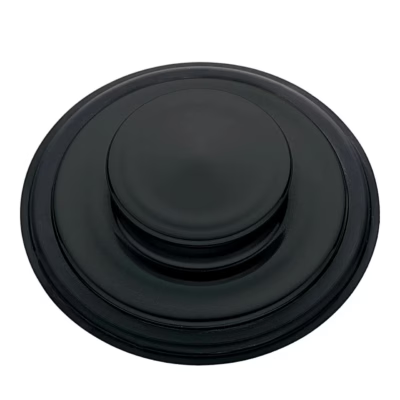
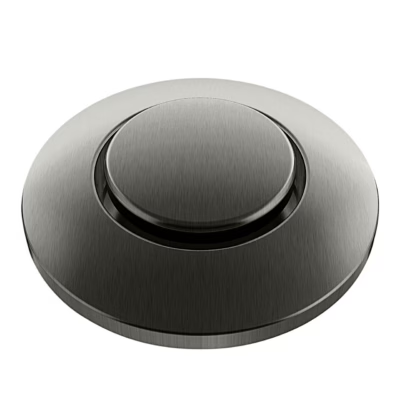
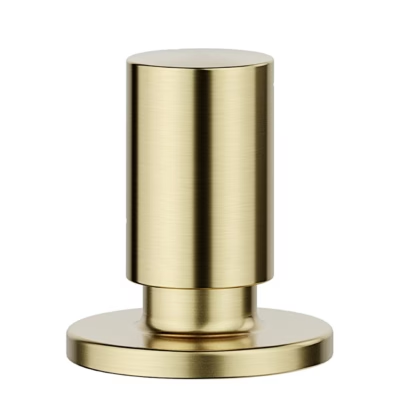
The ISE InSinkErator air switch buttons for a kitchen sink waste disposer are a set of decorative buttons in three different tones, which let you bring the look of the air switch into line with your tap and sink. The set includes a Velvet Black, a glossy Chrome and a brushed stainless steel finish button, which can be swapped as you wish without replacing the whole switch.
Key features
- One set contains 3 different finishes, which allow you to match the tone of the switch with both dark and light taps and sink surfaces.
- Designed for use with the InSinkErator ISE pneumatic air switch system, where the decorative button can be replaced separately.
- Lets you update the overall look of the kitchen without redoing the worktop, because the existing hole and air switch system stay the same.
- Changing the buttons is generally easy and requires no separate electrical work, because the air switch works through air pressure.
- The Velvet Black, Chrome and brushed stainless steel finishes suit the most common tap and sink colour schemes.
- Easy care, as the smooth-surfaced buttons can be cleaned with a soft damp cloth without a complicated care routine.
- Having several buttons in one set gives flexibility when remodelling the kitchen, for example when installing a new tap or worktop.
Compatibility, care and durability
The set is designed for use with the pneumatic air switch system of InSinkErator ISE food waste disposers, where the switch is operated through a button installed on the worktop or the edge of the sink. Before buying, it is worth checking the type and fixing method of your existing switch and making sure that the decorative button can be replaced with a similar button.
The air switch button itself contains no electrical components; switching takes place by means of air, to the disposer’s control module under the sink. The button is therefore mechanically simple and, when used correctly, has a low probability of failure. To keep the finish in good condition, it is recommended to clean the button with a soft damp cloth and to avoid abrasive sponges and strong chemical cleaning agents, which may dull the surface.
A set of three buttons offers added value, because the tone can be changed when needed without buying a new product. If the tap or worktop in the kitchen is changed, the existing button can simply be swapped for another finish, making the design uniform.
Installation and use
Installing the buttons can usually be done within the existing InSinkErator air switch system, following the disposer manufacturer’s instructions. The general procedure is as follows.
- Disconnect the food waste disposer from the mains in accordance with safety requirements.
- Remove the old decorative button according to the instructions for the existing air switch, unscrewing it from the fixing from below if necessary.
- Choose a button with a suitable finish from the set, for example Velvet Black for a dark worktop or the brushed stainless steel tone to match a stainless steel tap.
- Fit the chosen button into the existing hole and secure it according to the design of the system, making sure that the button moves freely and does not get stuck.
- Restore the power and test the air switch by pressing the button and checking that the disposer starts and stops as expected.
Included in the set
- 1 × air switch button with a Velvet Black finish
- 1 × air switch button with a Chrome finish
- 1 × air switch button with a brushed stainless steel finish
When to choose the ISE air switch buttons 3 pcs set
This ISE InSinkErator air switch button set is suitable when you want to bring the finish of the food waste disposer switch into line with the tap and worktop, or when the existing button is worn. Three different tones give you the option to plan the kitchen design flexibly in the future as well, and to change the look of the button without redoing the whole air switch system.










































Reviews
There are no reviews yet.