

Description
Surveillance camera battery and charging
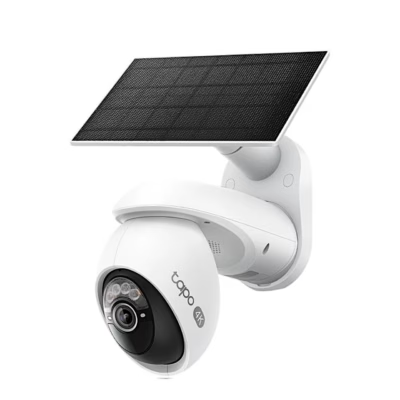
The battery-powered surveillance camera TP-Link Tapo C400 runs, according to the manufacturer, for up to 180 days on a single charge if the camera records and shows live view for a total of 250 seconds per day. The battery is supplied partially charged, and a full charge with the USB cable included in the set takes about 5.5 hours. The camera can also be charged with the Tapo solar panel, sold separately, whose plug goes into the camera’s USB-C charging port.
Colour night vision
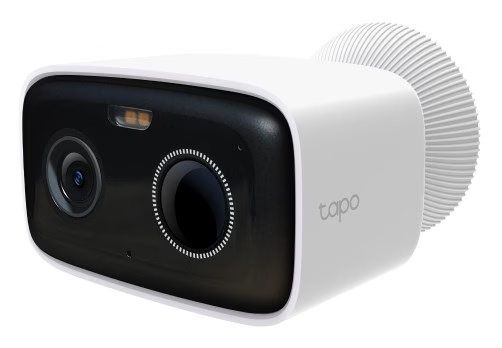
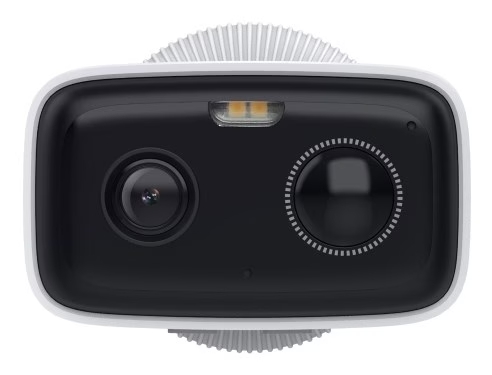
In the dark, the camera sees up to 10 m with two 850 nm infrared diodes. Two white lights switch on when motion is detected and provide colour night vision. The brightness of the lights can be changed in the Tapo app, and they can be used together with the siren as an audio and visual alarm.
Motion and human detection
The motion sensor has a horizontal field of view of 110°, and its sensitivity can be changed in the camera settings. When artificial intelligence detects a person in the image, the camera sends a real-time notification to your phone. Activity zones let you select the areas of the image for which notifications are sent, and privacy zones let you exclude areas from recording and live view. The siren volume is 70 dB(A) at 3 m, and with the microphone and speaker you can talk through the camera in both directions.
IP camera connection and recording
The camera connects directly to a 2.4 GHz Wi-Fi network and does not need a smart hub to work, but it can also be paired with the Tapo H200 or Tapo H500 hub. For recording you can use a microSD card of up to 512 GB, or the Tapo Care cloud storage service, which requires a subscription. The camera is controlled in the Tapo app and works with Amazon Alexa and Google Assistant.
Wall mounting
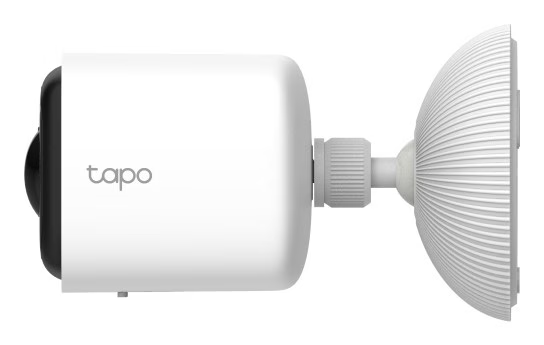
Stick the installation template to the wall and drill two holes according to it. Unscrew the base from the mounting bracket, insert the wall plugs into the holes, fasten the bracket with screws and screw the base back onto the bracket. Place the camera on the base, loosen the base, set the camera angle and tighten the base again. Finally, tighten the screw on the bottom of the camera so that the camera stays firmly on the bracket. The manufacturer recommends tilting the camera about 20° downwards and mounting it so that movement passes across the field of view, not directly towards the camera. The camera must not be mounted upside down or behind glass, as glass prevents the motion sensor from working.
Cleaning and weather resistance
Clean the camera only with a dry cloth; liquids must not be used. Keep the cover of the charging and memory card slot closed, and do not pull the silicone part off with force, so that the camera remains water- and dust-resistant. The IP65 protection rating means the camera is dust-tight and protected against water jets. The operating temperature is –20 °C to +45 °C, and the battery can be charged at temperatures from 0 °C to +45 °C.
In the box
- Tapo C400 camera
- Camera mounting bracket
- 2 mounting screws
- 2 wall plugs
- USB charging cable
- Installation template sticker
- Quick guide







































Reviews
There are no reviews yet.