


Description
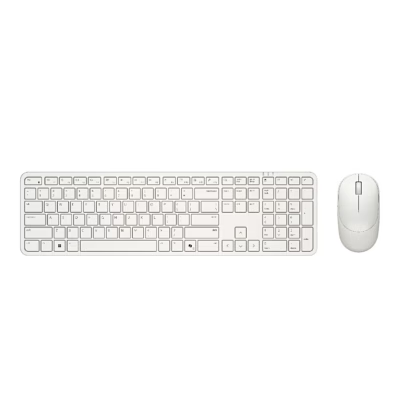
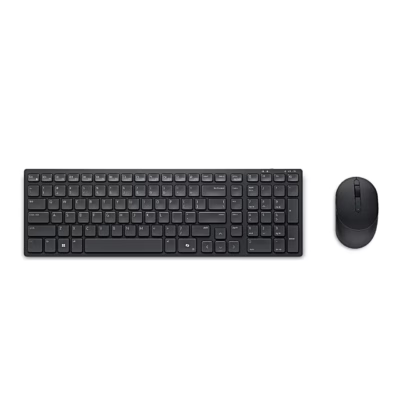
The wireless keyboard and mouse Dell KM555 carry the manufacturer name Dell Pro 5 Silent Compact Keyboard and Mouse. The keyboard has a Windows 11 Copilot key, media and volume keys and full-size arrow keys.
Two ways to connect the keyboard and mouse
With the connection-mode key the keyboard switches between two devices: channel 1 uses the USB receiver and channel 2 uses Bluetooth. The mouse has a connection-mode button on its underside for the same purpose. Supported systems are Windows 10 and 11, macOS 11 or later, Linux, ChromeOS, iPadOS 14 or later and Android 9.0 or later.
Keys, mouse and software
The Dell Display and Peripheral Manager app assigns shortcuts to the programmable keys, shows the battery status and updates the firmware. The optical mouse suits both right- and left-handed users and has three buttons, a scroll wheel and an adjustable resolution of up to 4020 dpi. According to the manufacturer, the batteries last up to 36 months.
Getting started
Two AAA batteries go under the keyboard battery cover, and the power switch slides to the right. The mouse cover lifts from the recess on its side and covers the USB receiver storage and the AA battery slot. The receiver plugs into a USB-A port on the computer, and the devices are paired with it at the factory. To pair over Bluetooth, hold the connection-mode key for 3 seconds until the Bluetooth light blinks white.
In the box
- Keyboard Dell KB555
- Mouse Dell MS355
- Dell Secure Link USB receiver
- 2 AAA batteries for the keyboard and 1 AA battery for the mouse
- Documents



















































Reviews
There are no reviews yet.