

Description
Keyboard with low-profile scissor keys
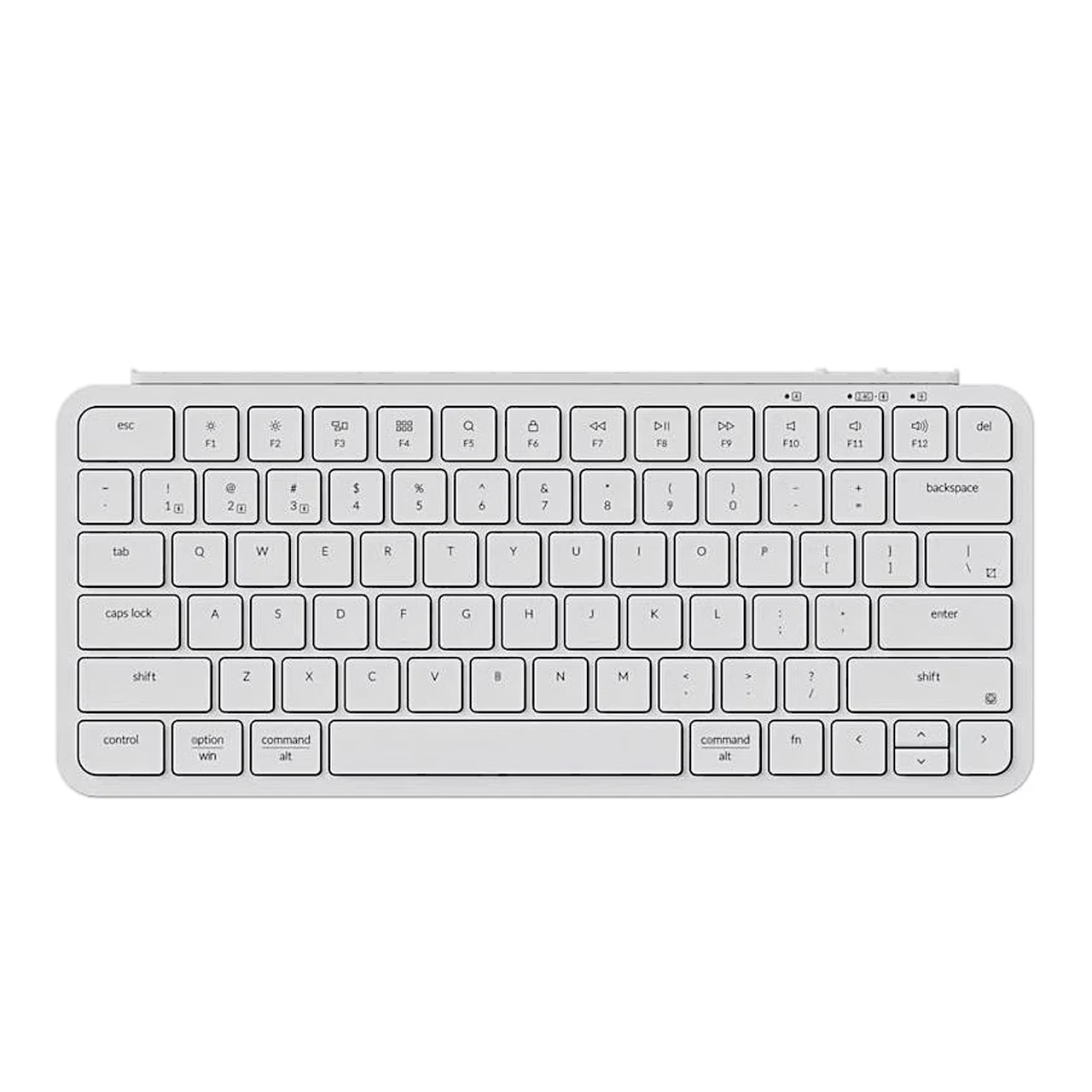
The wireless keyboard Keychron B1 Pro is a 75% keyboard whose 77 keys are low-profile scissor keys. The keycaps are double-shot ABS, so the legend is part of the cap. The keyboard weighs 425 g.
Connection through the receiver, Bluetooth or cable
The keyboard connects to a computer or other device through a 2.4 GHz receiver, Bluetooth 5.2 or a USB-C cable, and the wireless range is up to 10 metres in open space. Bluetooth links three devices, switched with a short press of Fn + 1, Fn + 2 or Fn + 3.
Battery and charging
The battery holds 800 mAh, lasts up to 1200 hours and charges fully in about 2.5 hours. It charges in all three modes: the keyboard charges over USB-C at 5 V and 1 A, and the indicator is red while charging and green when full.
Keys for Mac and Windows
The Mac/Win toggle in the top right corner selects the system, and each system has two key layers. The top row holds media keys and F1–F12, switched by holding Fn + X + L for 4 seconds. In the Keychron Launcher web app you can remap keys and assign several commands to one key over a cable connection.
Use
- For 2.4 GHz, plug the receiver into the device’s USB port and slide the mode toggle to 2.4G; the keyboard then connects by itself.
- For Bluetooth, slide the toggle to BT, hold Fn + 1 for 4 seconds and select Keychron B1 Pro on the device.
- For wired use, slide the toggle to Cable and connect the cable to the computer and the keyboard.
The Cable (Off) position switches the keyboard off when the cable is unplugged. To reset, hold Fn + J + Z for 4 seconds.
In the box
- Keyboard Keychron B1 Pro, 1 pc
- 2.4 GHz receiver (USB-A)
- USB-C cable
- USB-A to USB-C adapter
- Silicone keyboard cover
- Quick start guide
- Charger not included

















































Reviews
There are no reviews yet.