


Description
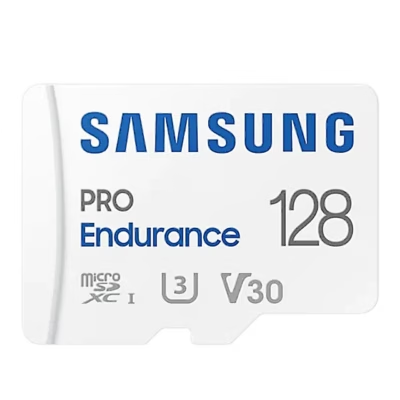
Kingston Canvas Go Plus Gen4 128GB microSDXC card with SD adapter
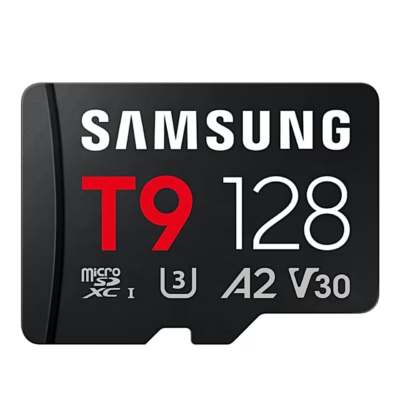
The Kingston Technology 128GB microSDXC Canvas Go Plus Gen4 is a reliable and high-performance memory card that suits fast shooting, recording 4K UHD video and using mobile applications ideally. Thanks to its A2 application performance class and read speed of up to 200 MB/s, this card is especially valued among active adventurers, drone users and professional creators. The set includes a microSD card with an SD adapter, which ensures compatibility with different devices.
Main features
- Very fast data transfer: up to 200 MB/s read speed, up to 100 MB/s write speed
- A2 performance class: faster loading and operation of applications on smart devices
- V30 video speed class makes it possible to record 4K UHD videos and shoot continuously
- High durability: operating temperature -25°C to 85°C, also suitable for outdoor conditions, for example drones and action cameras
- The set includes a microSD card and an SD adapter: usable in different devices
- UHS-I standard, Class 10, UHS Speed Class 3 (U3): ensures fast and stable data transfer
Technical specifications
- Capacity: 128 GB
- Memory card type: microSDXC
- Colour: turquoise blue, black
- Read speed: up to 200 MB/s
- Write speed: up to 100 MB/s
- Application performance class: A2
- UHS speed class: Class 3 (U3)
- Video speed class: V30
- Flash memory class: Class 10
- Supported file systems: exFAT
- Card dimensions: 15 mm × 11 mm × 1 mm, weight 0.23 g
- Memory adapter dimensions: 32 × 24 × 2.1 mm
- Operating temperature: -25 to 85 °C
- Storage temperature: -40 to 85 °C
- Pack dimensions: 114.3 × 101.6 × 5.59 mm
- EAN: 740617347944
- Manufacturer code: SDCG4/128GB
Instructions for use
The Kingston Canvas Go Plus Gen4 microSDXC card suits the extended memory of a camera, drone, smartphone and tablet. When using it, insert the card into the microSD slot; if necessary, it can be used in an SD slot with the adapter included in the set. Thanks to the “Plug and Play” solution, the card can be put into use quickly.
When caring for the card, keep the contacts clean, avoid physical damage and store the card and adapter protected from moisture and extreme temperatures. Before removing the device, remove the card safely to avoid data corruption.







































Reviews
There are no reviews yet.