


Description
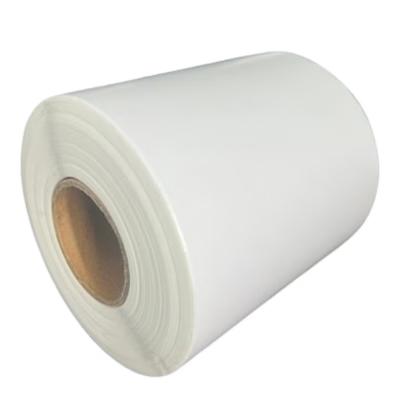
Niimbot thermal labels 12 x 30 mm for clear marking on D11 and D110 printers
When you need uniform and easy-to-read labelling on small surfaces, Niimbot thermal labels 12 x 30 mm are a practical choice. The white background makes text and symbols stand out clearly, and 210 labels in one roll help reduce how often you need to change rolls. The roll is designed for use with Niimbot D11 and D110 thermal printers, so you can quickly print prices, best-before dates, serial numbers or simple icons without ink.
Key features
- Compatibility with Niimbot D11 and D110 thermal printers ensures hassle-free use.
- 12 x 30 mm format is well suited to prices, shelf labels, batch codes and short texts.
- 210 labels per roll reduces roll changes and keeps your workflow consistent.
- White background improves readability and scannability, even with a smaller font.
- Direct thermal printing means no ink or ribbon is needed, which keeps costs and maintenance low.
- Self-adhesive paper sticks to smooth surfaces such as plastic, cardboard, glass and metal.
- Quick setup: the roll is loaded into the printer in a few movements.
- Suitable for everyday labelling in shops, offices, warehouses and home organisation.
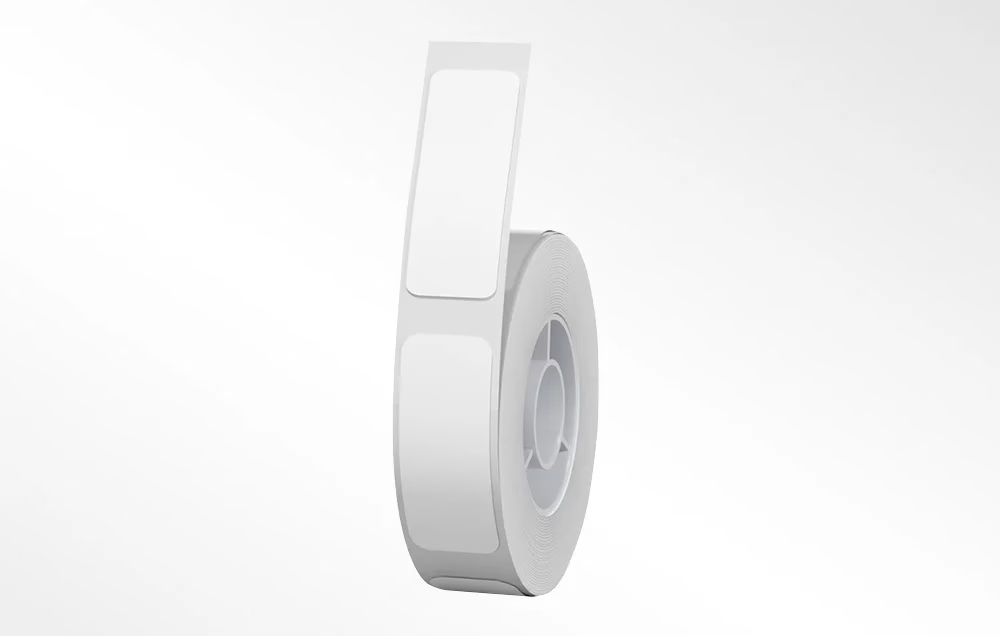
Niimbot thermal labels 12 x 30 mm, 210 pcs, white
The package contains one roll for printing 210 white 12 x 30 mm labels. The roll is intended for Niimbot D11 and D110 thermal printers. Use it for marking prices, best-before dates, emoticons, serial numbers and similar items.
Compatibility and care for convenient use
The labels are designed to work with the D11 and D110 models from Niimbot. For other Niimbot printers, check compatibility and label size before ordering. The material is thermal paper for direct thermal printing, which needs no ink cartridges or ribbons and simplifies everyday use.
For longer readability, store the rolls in a dry and cool place and protect them from direct sunlight. Sticking works best on clean and smooth surfaces. If you label in freezers or outdoors, first test whether the adhesion and readability meet your needs.
Installation and use
Open the printer cover, place the roll so that the label feeds forward, close the cover and slide the label to a straight edge. Connect the printer to the Niimbot app, select the 12 x 30 mm label size and enter your text or design. Make a test print and adjust the font or alignment if needed. For the best adhesion, stick the label to a clean, dry surface and gently smooth it over to remove air bubbles.
Included in the package
- 1 × thermal label roll 12 x 30 mm, white, 210 labels
Print clearly and economically
Choose Niimbot 12 x 30 mm white labels to keep your labelling systematic and costs low thanks to ink-free thermal printing. 210 labels per roll suits both one-off tidying and everyday use in the warehouse, shop and office.








































Reviews
There are no reviews yet.