

Description
HDMI extender for controlling a computer from the display over a network cable
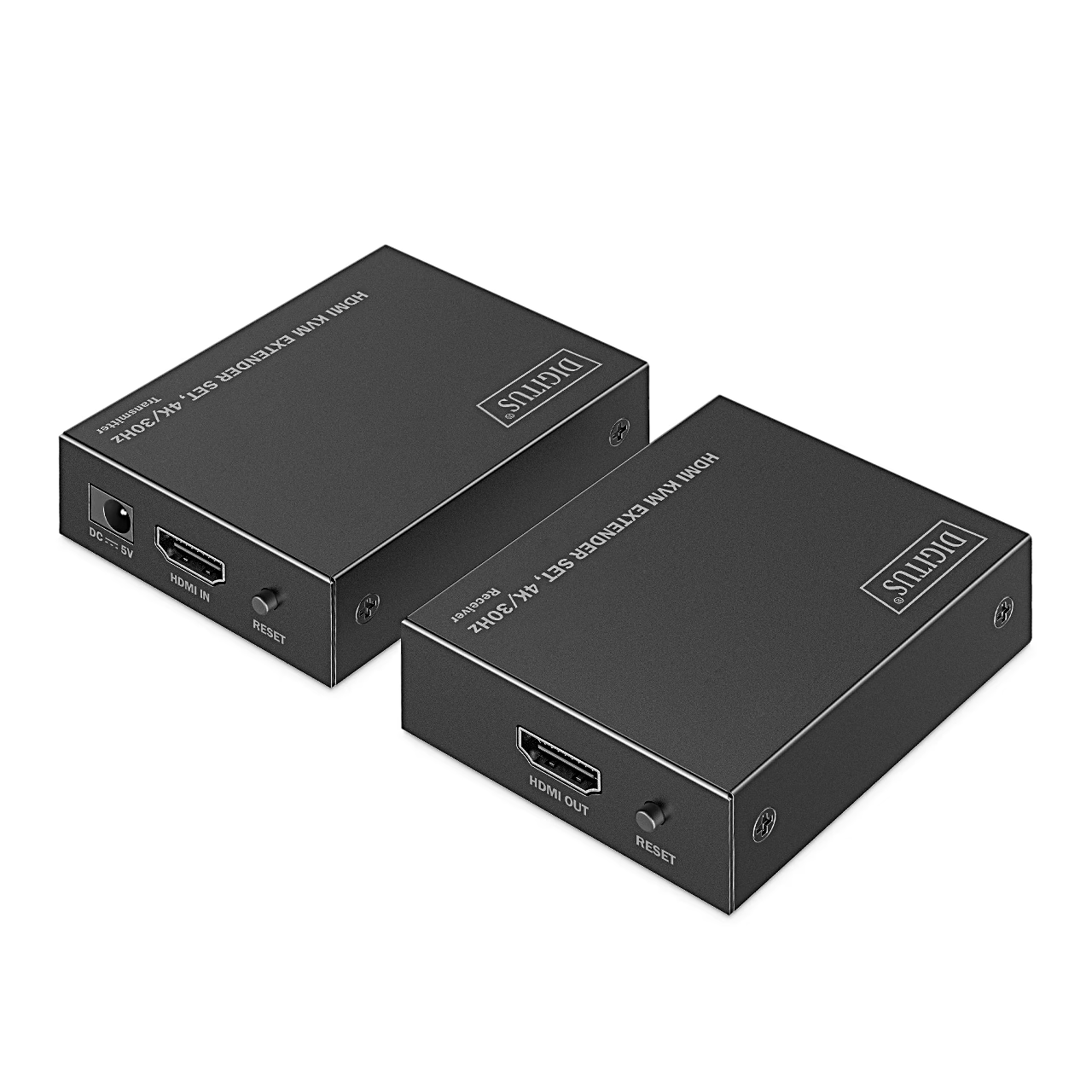
The HDMI extender with KVM function Digitus DS-55357 consists of a transmitter and a receiver that carry picture, sound and keyboard and mouse signals over a single network cable. The transmitter connects to a computer, network video recorder or media player, the receiver to a display or projector.
Keyboard and mouse at the receiver
KVM stands for keyboard, video and mouse transmitted together: the receiver has two USB-A ports for keyboard and mouse, and the transmitter connects to the computer with the supplied USB cable (USB 1.1). The computer is thus controlled from the display, at the other end of the cable.
Picture and sound
The extender complies with HDMI 1.4 and HDCP 1.4, supports HDR and has a bandwidth of up to 10.2 Gbit/s. The picture reaches the display with a latency of 10–20 ms. Audio is carried in DTS, DTS-HD, PCM and LPCM formats.
Power over the network cable
With PoC (Power over Cable) support the receiver is powered through the network cable, so the power adapter (5 V, 2 A) connects to the transmitter only. Total power consumption of transmitter and receiver is up to 10 W.
Connection
Transmitter and receiver are linked with a CAT6 or better network cable wired to IEEE 568B, and the HDMI cable may be up to 5 m long. Both units have a RESET button for restarting and power and KVM indicator lights.
- Connect the HDMI output of the source device to the transmitter’s HDMI IN port with an HDMI cable.
- Connect the transmitter’s CAT OUT port to the receiver’s CAT IN port with a network cable.
- Connect the display to the receiver’s HDMI OUT port with an HDMI cable.
- Connect the computer to the transmitter with the USB cable, and the keyboard and mouse to the receiver’s USB ports.
- Connect the power adapter to the transmitter and to the mains.
In the box
- HDMI extender Digitus DS-55357 transmitter, 1 pc
- Receiver, 1 pc
- Power adapter with EU plug (5 V, 2 A, 1.2 m cord), 1 pc
- USB cable (1.2 m), 1 pc
- Operating instructions, 1 pc










































Reviews
There are no reviews yet.