
Description
KVM switch for two computers with VGA and USB interfaces
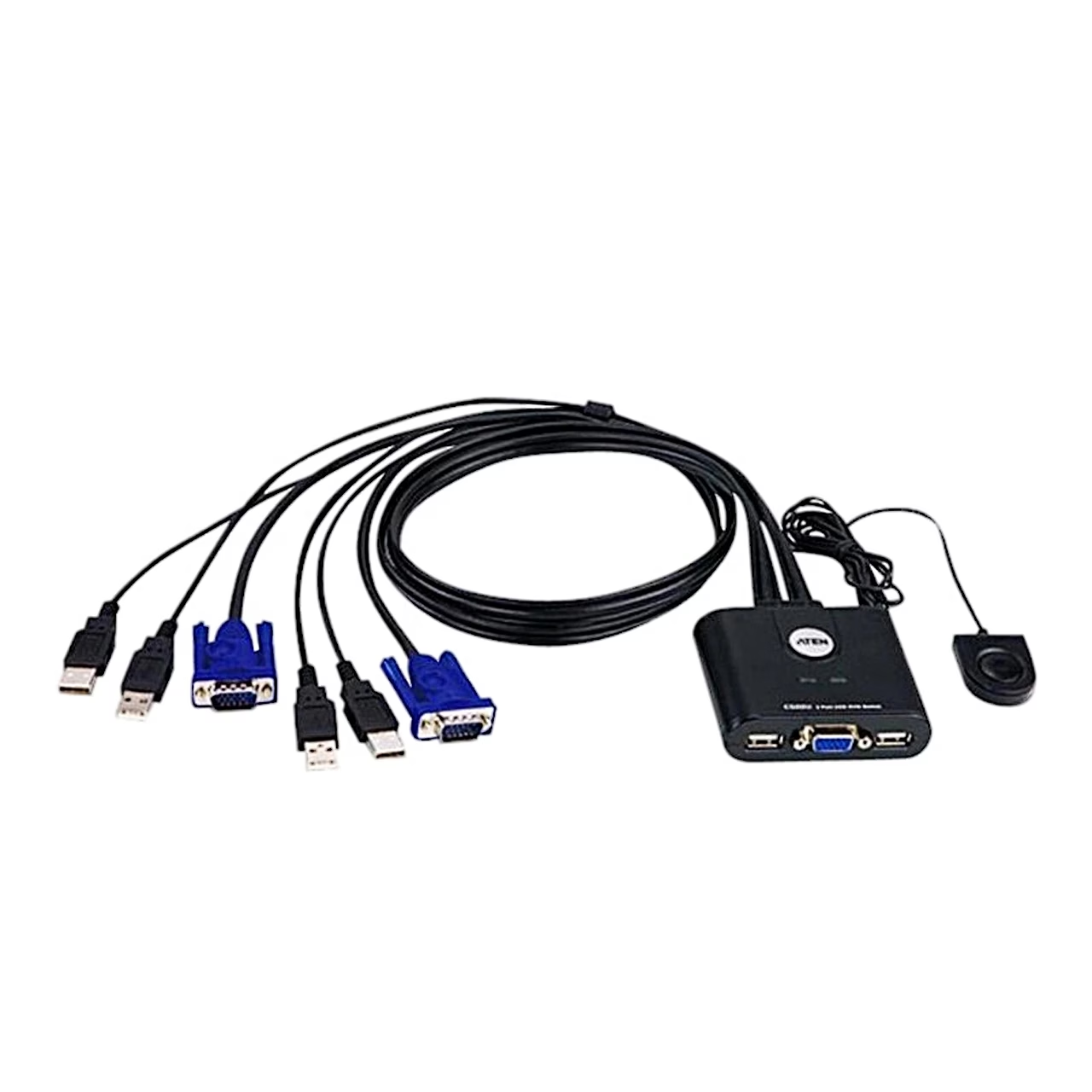
The KVM switch with remote port selector Aten CS22U shares one VGA monitor, USB keyboard and USB mouse between two computers. The picture reaches the monitor at resolutions up to 2048 × 1536, and the switch supports DDC2B.
Two computers on one console with a KVM switch
A KVM switch is a device for controlling several computers through one keyboard, mouse and monitor; KVM stands for keyboard, video and mouse. The CS22U has an attached 0.9 m cable for each computer with one VGA and two USB-A plugs, and the computer is changed with the button of a remote selector on a 1.8 m cable. The selector sits on the desk, so the switch itself stays out of sight.
Compatibility and power
The switch works with Windows, Linux, Mac and Sun computers and supports multifunction mice. Besides the keyboard and mouse, other USB peripherals shared by the computers can be connected to the console USB ports, and devices can be connected during operation. The switch is powered from the computers’ USB ports, with a typical power consumption of 0.14 W. Two LEDs show the selected computer.
Connection
The monitor must support the highest resolution in use, and each computer needs a VGA output and USB-A ports.
- Connect the keyboard, monitor and mouse to the switch’s console ports, marked with keyboard and mouse icons.
- Plug the USB and VGA connectors of the switch cables into the matching ports of the computers.
- Place the remote selector on the desk within reach.
- Switch on the computers.
In the box
- KVM switch Aten CS22U with remote selector, 1 pc
- User instructions, 1 pc








































Reviews
There are no reviews yet.