

Description
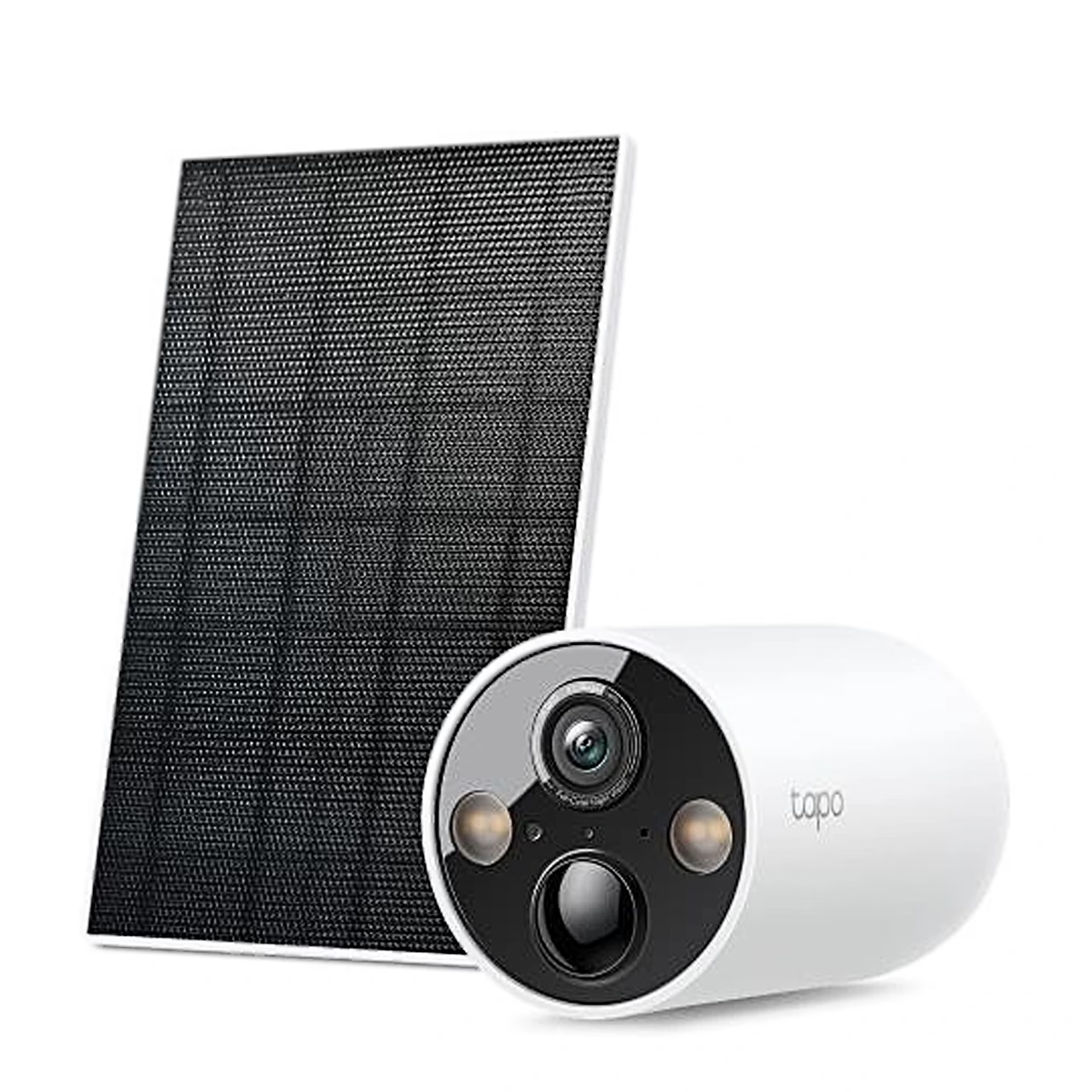
Solar-powered security camera for wall or ceiling mounting
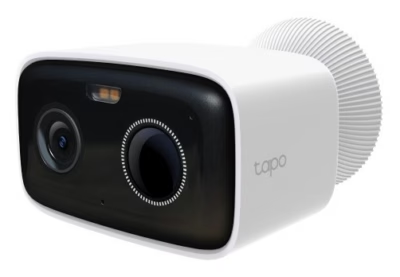
The TP-Link Tapo C425 KIT is a solar-powered security camera for outdoor use, supplied with the Tapo C425 camera and the Tapo A201 solar panel. The camera is rated IP66 and the solar panel IP65: the camera is dust-tight and protected against powerful water jets. The panel can be fitted to the camera bracket as one unit or mounted in a sunnier spot with a 4 m cable.
Battery and solar charging
In the manufacturer’s tests the built-in lithium-ion battery gives up to 300 days of battery life with 230 seconds of recording or live view per day. Under the manufacturer’s test conditions (1000 W/m², 25 °C, up to 100 events per day) 45 minutes of sunlight power the camera for a full day. The solar panel charges at up to 2.5 W, and the battery charges at 0–45 °C. The battery can also be charged through the camera’s Micro-USB port with a 5 V, 2 A adapter.
2K image and colour night vision
The camera records video at 2560 × 1440 pixels (4 MP) at up to 30 frames per second. The lens has a 2.1 mm focal length and a 150° diagonal field of view, 134° horizontal and 77° vertical. In the dark you can choose infrared mode, with 850 nm IR LEDs lighting up to 15 m, or full-colour mode, in which two spotlights and a Starlight sensor give colour night vision.
Detection, storage and alarm
The camera detects motion and tells people, pets and vehicles apart. Activity zones limit detection to selected parts of the image. Video is stored on a microSD card of up to 512 GB in the camera; Tapo Care cloud storage requires a subscription.
The camera has a microphone and speaker for two-way talk with noise cancellation. The siren reaches 94 dB measured at 10 cm. You can record your own alarm sound and adjust the spotlight brightness.
Wi-Fi connection and the Tapo app
The camera connects to 2.4 GHz Wi-Fi (IEEE 802.11b/g/n), and data is encrypted with 128-bit AES and SSL/TLS. The camera is set up and viewed in the Tapo app, which needs iOS 11.0 or Android 5.0 or later. The image can also be viewed on displays that support Amazon Alexa and Google Assistant.
Installation and use
The camera mounts on a wall or ceiling with its bracket, and a mounting template is supplied for marking the screw holes. The microSD card goes into the slot under the cover and is set up for local recording in the Tapo app. Holding the power button for about 3 seconds switches the camera on or off. To restore factory settings, hold the reset button with a pin for at least 5 seconds.
In the box
- Tapo C425 camera, 1 pc
- Tapo A201 solar panel, 1 pc
- Camera bracket, 1 pc
- Extension cable, 1 pc
- Decorative cover plate, 1 pc
- Mounting template, 1 pc
- USB-C to Micro-USB adapter, 1 pc
- Wall anchors, 6 pcs
- Screws, 6 pcs
- Waterproof seals, 2 pcs
- Battery charging cable, 1 pc
- Cable tie, 1 pc
- Screw caps, 2 pcs
- Quick start guide
A microSD card is not included.






































Reviews
There are no reviews yet.