


Description
ZTE U50 5G portable Wi-Fi 6 router – fast internet everywhere
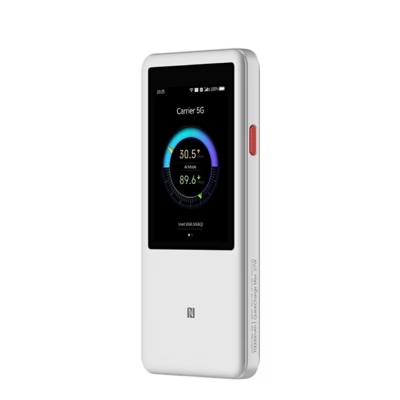
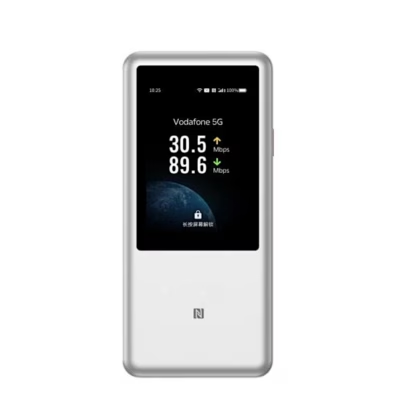
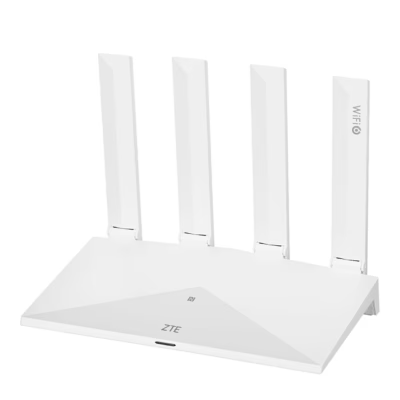
The ZTE U50 5G portable router provides convenient wireless internet connection wherever you go. The device combines the latest mobile communication technology and Wi-Fi standards, offering a stable network connection for up to 32 devices at the same time. Its compact and lightweight design makes it ideal for business trips, home offices and an active lifestyle. Connect your smart devices, laptops or tablets quickly – suitable for both work and entertainment.
Main features
- Supports 5G, 4G (LTE-TDD & LTE-FDD) and 3G (HSUPA, HSDPA, WCDMA) networks – fast internet even where there is no cable
- Modern Wi-Fi 6 (802.11ax) standard for higher performance and better range
- Two frequency bands (2.4 GHz and 5 GHz) allow flexible device connection
- Up to 32 users at the same time – suitable for families, small businesses and travel groups
- Powerful 4500 mAh battery provides up to 8 hours of operating time without charging
- LED indicators for easy status monitoring
- Built-in security and usability functions: WPS button, reset button, remote management
- Supports Nano SIM and eSIM
- Compact, lightweight design with built-in antenna
- USB Type-C connection for charging and data transfer
Technical specifications
- Dimensions: 118 mm (width) × 18 mm (thickness) × 72 mm (height); alternative dimensions on packaging: 80 × 130 × 50 mm
- Weight: 164 g (device), 255 g (packaging/kit)
- Colour: white
- Battery capacity: 4500 mAh lithium battery
- SIM card support: Nano SIM and eSIM
- Power supply: rechargeable battery, USB Type-C
- Antenna: internal
- Wi-Fi standards: 802.11b/g/n/ac/ax (Wi-Fi 4, 5 and 6)
- Wi-Fi frequencies: 2.4 GHz & 5 GHz
- Maximum number of connected devices: 32
- USB port: USB Type-C
- Ethernet LAN: none
- LED indicators: yes
- Buttons: power, WPS, reset
- Remote management: yes
- Manufacturer: ZTE Poland
- EAN: 6902176112935
- Model: U50, product code KILZTER4G0056
Instructions for use
Insert a Nano SIM into the device or activate the eSIM, and switch on the router. The LED indicators give a quick overview of the network and battery status. If necessary, use the WPS button for secure connection or the reset button to restore factory settings. You can monitor the connection status and change settings via the web management interface or mobile app. To charge the battery, use the wired USB Type-C connection.
For maintenance, avoid opening the device, exposing it to water or moisture, and extreme temperatures. To clean the device, use a soft, dry cloth. For further information, you can ask us by email.
Additional benefits
The ZTE U50 5G portable router is ideal for frequent travellers as well as temporary home use, offering fast mobile internet, flexibility and easy use. Built-in security and management options, together with the ability to connect several devices at once, make it a reliable long-term solution.





















































Reviews
There are no reviews yet.