
Network switches
Choosing a network switch: number of ports, speed, PoE and management
A network switch, or simply a switch, adds wired ports next to your router for a computer, TV, game console, NAS, IP camera or access point. The range includes switches from TP-Link, Ubiquiti, MikroTik, Netgear, Zyxel, Mercusys and Cudy. The number and speed of ports, whether you need PoE, and whether the switch must be managed are what decide your purchase.
Number of ports: count your devices
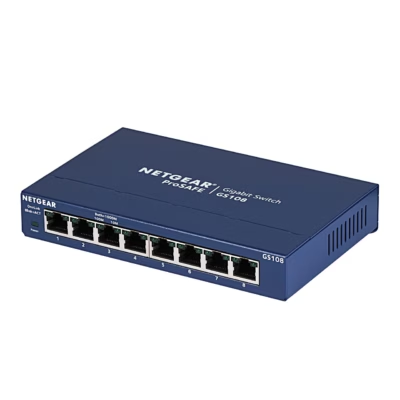
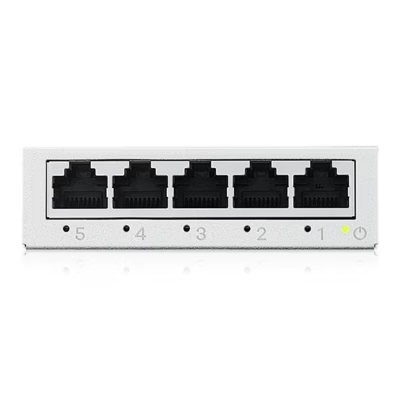
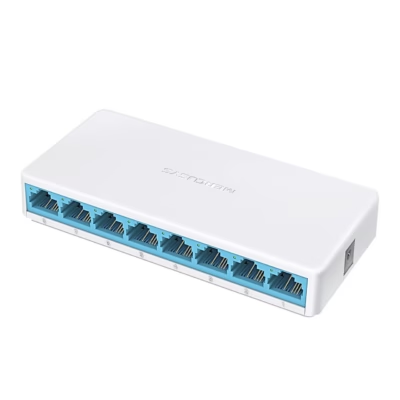
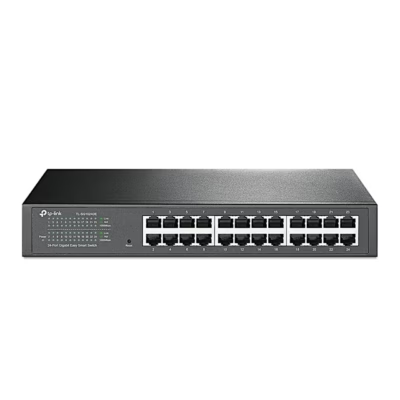
One port connects to the router with a cable, and the rest are left for your devices. At home, 5 or 8 ports are usually enough, while 16 and 24 port switches are common in offices and camera networks. Keep one or two ports spare so a new device fits in later.
Port speed: 100 Mbit/s, 1 Gbit/s or 2.5 Gbit/s
1 Gbit/s ports suit a computer, a TV and an internet connection of up to 1 Gbit/s. 2.5 Gbit/s ports give a faster connection for a NAS, a powerful computer or a Wi-Fi 6 and Wi-Fi 7 access point. A 100 Mbit/s switch is enough for an IP camera, a printer and smart home devices.
PoE: power and data through one cable
A PoE switch supplies power over the network cable to an IP camera, an access point or an IP phone, so you don’t need a power socket next to the device. PoE (802.3af) provides up to 15.4 W per port, PoE+ (802.3at) up to 25.5 W, and PoE++ (802.3bt) more than 50 W. Add up the power needs of the devices you will connect and compare the total with the switch’s PoE power budget in watts.
Unmanaged or managed switch
An unmanaged switch works as soon as the cables are connected, with no setup needed. A managed switch opens a web interface or app where you can split the network into VLANs, give priority to video calls with QoS, turn ports off and monitor traffic. A managed switch suits an office, a camera network or a home lab.
Mounting: on a desk, a wall or in a rack
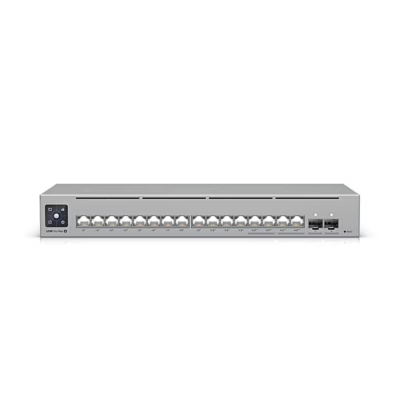
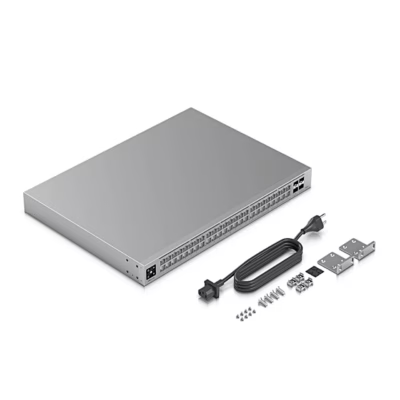
A small switch sits on a desk or is screwed to a wall. A rack-mount switch fits a 19-inch server cabinet: measure the free height in units before buying (1U is 44.45 mm) and the depth of the cabinet. You will find routers on the Routers page and PoE-powered access points on the Wi-Fi access points page.
Frequently asked questions
An unmanaged switch is plug and play: it learns by itself which device is behind which port and forwards the data there. A managed switch also lets you configure VLANs, QoS and port speeds, and monitor traffic.
A router connects your home network to the internet and assigns IP addresses to devices. A network switch connects to the router and adds more wired ports to the same network.
A switch shares your existing internet connection, so each device gets a stable wired connection. The top internet speed is set by your plan and router, while the speed between devices at home depends on the switch’s ports.
Yes. Standard PoE (802.3af, 802.3at, 802.3bt) checks whether a device needs power before supplying it, and an ordinary computer will receive only data. Passive PoE supplies power immediately, so connect only devices that support passive PoE to such a port.
Desktop and wall switches usually work with the power supply included in the box, and rack-mount switches have a built-in power supply. Some small switches can take their power over PoE from another switch or router.
-
180,99 €
- Number of ports
- 10 cores
- Port speed
- 2.5 Gbit/s
- Switch type
- Non-dimmable
-
21,49 €
- Number of ports
- 8 pcs
- Port speed
- 1 Gbit/s
- Switch type
- Non-dimmable
-
23,99 €
- Number of ports
- 8 pcs
- Port speed
- 1 Gbit/s
- Switch type
- Non-dimmable
-
270,99 €
- Number of ports
- 16 cores
- Port speed
- 1 Gbit/s
- PoE
- Yes
- Switch type
- Dimmable
-
37,99 €
- Number of ports
- 8 pcs
- Port speed
- 1 Gbit/s
- Switch type
- Non-dimmable
-
20,49 €
- Number of ports
- 5 pcs
- Port speed
- 1 Gbit/s
- Switch type
- Non-dimmable
-
9,99 €
- Number of ports
- 8 pcs
- Port speed
- 100 Mbit/s
- Switch type
- Non-dimmable
-
147,99 €
- Number of ports
- 24 pcs
- Port speed
- 1 Gbit/s
- Switch type
- Dimmable
-
16,49 €
- Number of ports
- 5 pcs
- Port speed
- 1 Gbit/s
- Switch type
- Non-dimmable
-
13,49 €
- Number of ports
- 5 pcs
- Port speed
- 1 Gbit/s
- Switch type
- Non-dimmable
-
17,49 €
- Number of ports
- 5 pcs
- Port speed
- 1 Gbit/s
- Switch type
- Non-dimmable
-
76,99 €
- Number of ports
- 16 cores
- Port speed
- 1 Gbit/s
- Switch type
- Non-dimmable
-
14,49 €
- Number of ports
- 5 pcs
- Port speed
- 1 Gbit/s
- Switch type
- Non-dimmable
-
215,99 €
- Number of ports
- 8 pcs
- Port speed
- 1 Gbit/s
- PoE
- Yes
- Switch type
- Dimmable
-
28,99 €
- Number of ports
- 8 pcs
- Port speed
- 1 Gbit/s
- Switch type
- Non-dimmable
-
152,99 €
- Number of ports
- 8 pcs
- Port speed
- 1 Gbit/s
- PoE
- Yes
- Switch type
- Dimmable
-
10,19 €
- Number of ports
- 5 pcs
- Port speed
- 100 Mbit/s
- Switch type
- Non-dimmable
-
13,99 €
- Number of ports
- 5 pcs
- Port speed
- 1 Gbit/s
- Switch type
- Dimmable
-
18,99 €
- Number of ports
- 5 pcs
- Port speed
- 1 Gbit/s
- Switch type
- Non-dimmable
-
204,99 €
- Number of ports
- 8 pcs
- Port speed
- 1 Gbit/s
- PoE
- Yes
- Switch type
- Dimmable
-
517,99 €
- Number of ports
- 16 cores
- Port speed
- 2.5 Gbit/s
- PoE
- Yes
- Switch type
- Dimmable
-
134,99 €
- Number of ports
- 5 pcs
- Port speed
- 1 Gbit/s
- PoE
- Yes
- Switch type
- Dimmable
-
845,99 €
- Number of ports
- 48 pcs
- Port speed
- 2.5 Gbit/s
- Switch type
- Dimmable
-
168,99 €
- Number of ports
- 8 pcs
- Port speed
- 1 Gbit/s
- PoE
- Yes
- Switch type
- Dimmable

All products shown.






































