


Description
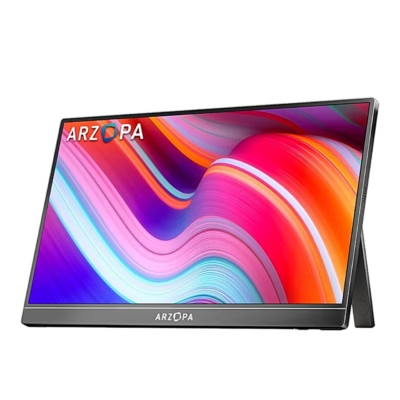
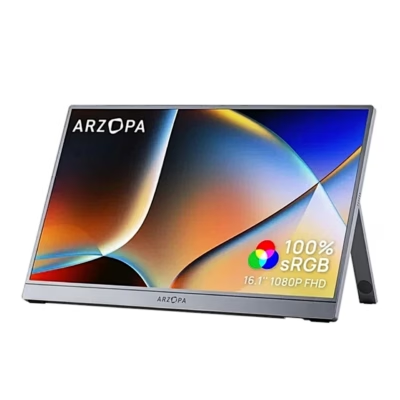
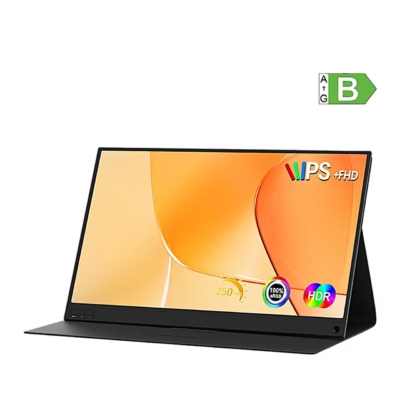
Arzopa A1 M 17.3″ portable monitor Full HD creates extra space for work and entertainment
When your laptop screen feels too narrow, the Arzopa A1 M 17.3″ extra monitor brings clarity and space exactly where you need it. The large IPS Full HD display lets you comfortably manage several windows at once, look at photos and videos more closely and play on a larger surface. Connecting is simple, because with a supported device a USB‑C cable is enough, and Eye Care technology, which reduces blue light and flicker, helps look after your eyes.
Main features
- 17.3″ IPS Full HD screen makes text and details clear, which makes the work process more precise and reduces errors.
- USB‑C with one cable connection, with supported devices, carries picture and power at the same time, which makes use on trips and in the office easy.
- Mini HDMI port allows a desktop computer or console to be connected; if necessary, additional power via USB‑A ensures stable operation.
- Eye Care technology reduces screen flicker and the amount of blue light, which helps keep eyes more rested when working for a long time.
- 300 cd/m² brightness and HDR mode help maintain vivid tones and better contrast in a brighter room too.
- 178° viewing angle ensures a uniform picture even when the screen is viewed from the side or the view is shared with a colleague.
- Aluminium casing is light and durable, suitable both for everyday movement and for travel.
- 2 × 1 W speakers provide basic sound for meetings, watching videos and quick media consumption.
- Three display modes (Duplicate, Extend and Second screen only) create a flexible workflow to suit the task.

Arzopa A1 M 17.3″ portable monitor
The Arzopa A1 M, the successor of the A1 MAX model, combines a compact casing and practical features. 17.3‑inch Full HD screen displays a clear picture and vivid colours, Eye Care technology reduces flicker and blue light to reduce eye strain on a longer working day too. The built-in speakers and light construction make the monitor convenient to carry along and use wherever work or a hobby takes you.

Excellent picture quality
No detail goes unnoticed during films or games. The 17.3‑inch 16:9 screen offers 1920 × 1080 resolution, which brings out sharp details. 300 cd/m² brightness lets you enjoy vivid and saturated tones in a brighter room too, and HDR mode adds contrast so the picture looks more natural.

Wide compatibility
The connection options are versatile. The monitor has mini HDMI and two USB‑C ports to connect it to a laptop, tablet or game console. MacBook 12, Lenovo Yoga, Samsung S20 and PS4 are mentioned as examples, but compatibility depends on the device’s video output support.

Use it however is convenient
The A1 M offers three modes. Duplicate mode mirrors the laptop screen to a larger surface, Extend mode extends the desktop to the second display, Second screen only mode allows the monitor to be used as an independent extra display.

Light, durable and reliable
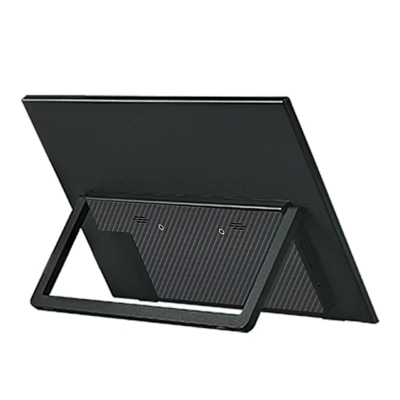
The aluminium alloy casing is durable and yet light. The monitor can be placed both in portrait and landscape orientation according to preference and work style. 178° wide viewing angle ensures a uniform picture and colour reproduction from different viewing directions.

Discover the sound options
The monitor has 2 built-in speakers, which allow you to listen to sound without connecting additional devices. This is convenient for video calls, tutorial videos and quick media consumption.
Included
- Portable monitor
- USB‑C to USB‑C cable
- Mini HDMI to HDMI cable for data transfer
- USB‑C to USB‑A cable for power
- User manual
Compatibility, power and accessories in one place
With supported laptops and tablets, the A1 M monitor can be connected with one USB‑C cable, which carries both picture and power. If you use a mini HDMI connection, add power with the included USB‑C to USB‑A cable. Compatibility depends on the device and its video output support; the manufacturer’s examples include MacBook 12, Lenovo Yoga, Samsung S20 and PS4 models. The Duplicate, Extend and Second screen only modes can be used in common operating systems. Depending on the nature of the work, you can choose mirroring for presentations, a layout that extends the desktop for everyday work or an independent second screen for organised multi-window work. In addition to the set, in some situations you may need a USB‑A power adapter, for example if the device does not supply the monitor via USB‑C. If you wish, add a protective case or a stand for more stable placement.
Quick installation and usage tips
Connect to a supported device with the included USB‑C cable. If you use an HDMI connection, connect the mini HDMI to HDMI cable for the picture and add power with the USB‑C to USB‑A cable. In the computer’s display settings choose a suitable mode, set the resolution to 1920 × 1080 and, if desired, HDR. Adjust the brightness, contrast and colour temperature settings from the OSD menu. For a portrait picture, turn the monitor to the upright position and switch on screen rotation in the operating system.
Choose an extra display that makes work and media consumption smoother
The Arzopa A1 M combines a large 17.3″ IPS Full HD picture, simple USB‑C connection and light aluminium casing into one portable solution. It helps save time when navigating between windows, gives a solid picture for presentations and offers flexibility when working both in the office and on the road. If you need a reliable extra monitor that is easy to set up and convenient to take along, the A1 M is a practical choice.













































Reviews
There are no reviews yet.