



Description
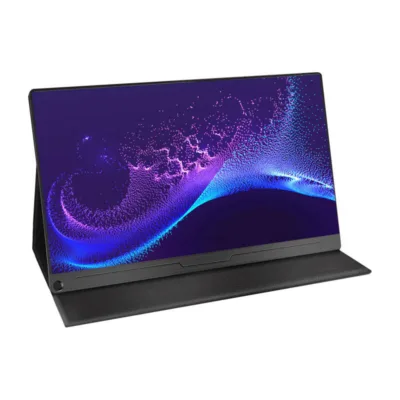
Uperfect Ustation Z14-S M140G13 14-inch portable monitor 2240 × 1400: more productive work wherever you are
When the screen is not enough, the solution is a 14-inch portable monitor that attaches smoothly to a laptop or works as a standalone screen. The Uperfect Ustation Z14-S M140G13 offers a 2240 × 1400 2K resolution and a 16:10 workspace, so that documents, spreadsheets and web applications fit in front of you at once. The IPS panel with a matte surface reduces reflections, and the 100% sRGB colour gamut ensures a reliable image both in the office and on the go.
Main features
- 2240 × 1400 2K resolution brings out text and graphics clearly, so that reading and checking details is comfortable.
- The 16:10 IPS screen offers more vertical space for documents and a wide viewing angle for teamwork.
- The matte screen surface reduces reflections and helps maintain legibility in different lighting conditions.
- 100% sRGB coverage suits colour-sensitive office work and simpler design tasks.
- 400 cd/m² brightness and 1500:1 contrast ensure clarity both in daylight and in a dimmer room.
- USB‑C and mini HDMI connections make connecting to laptops and other devices quick.
- 360° vertical and 210° horizontal rotation lets you adapt the screen to any workflow.
- The mount designed for 13-17-inch laptops holds the screen firmly in place even when moving.

Uperfect Ustation Z14-S M140G13 14-inch portable monitor
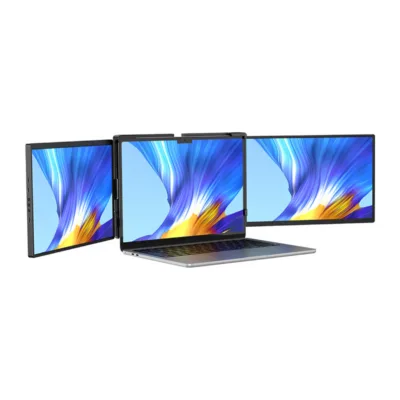
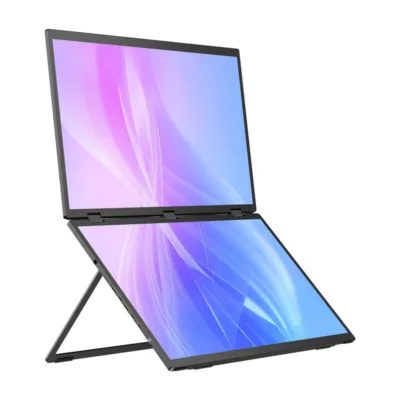
The screen noticeably increases the work area and creates a comfortable dual-display experience. The 16:10 proportion gives more room for rows and columns. IPS technology ensures a stable image, the matte coating reduces distracting reflections and the QHD 2K resolution keeps details sharp. It can be used with a laptop or as a separate monitor, depending on the task.

Adjustability
The hinge with rotation axes allows the screen to be placed exactly as needed at any moment. The device rotates 360° vertically and 210° horizontally and detects the position automatically, adjusting the image layout without manual intervention. This simplifies both working with one window and comparing several applications side by side.

Uses
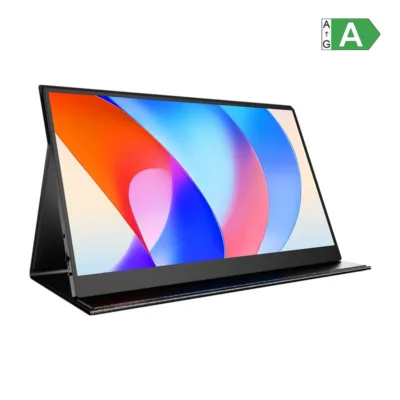
The Ustation Z14-S works both as an additional monitor for a laptop and as a standalone display. The detachable construction and the stable base allow the screen to be set upright or horizontally. The portrait and landscape layout supports workflows from editing documents and writing code to video calls and simpler design work.

Image quality
The 2K 2240 × 1400 resolution and the IPS panel create a detailed image and accurate tones. Brightness of up to 400 cd/m² and 1500:1 contrast ensure good legibility in different lighting. 100% sRGB coverage suits work where colour accuracy is important, for example in presentations or web graphics.

Suitability for laptops
The monitor is intended for users of 13-17-inch laptops. The flexible mounting mechanism makes setup quick and secure. Durable grips hold the screen in place even when moved at the edge of a desk, and the construction is designed so that no shifting occurs during use.
Connectivity and compatibility in everyday work
The connection can be made via USB‑C or mini HDMI. With USB‑C, DisplayPort Alt Mode support is required for the video image. Power can be supplied through the PD port with the included adapter. The USB‑C port of some laptops may not be enough to power the screen, so for the sake of stability it is recommended to use the power adapter included in the set.
Automatic rotation detection helps to switch quickly between portrait and landscape layouts. There are no built-in speakers, so the laptop’s own speakers or external audio devices connected to the signal source are used for sound.
The monitor works with many devices that support video transmission via USB‑C or HDMI. For the best result we recommend keeping the graphics and display settings up to date and, if necessary, selecting the 16:9 image proportion from the menu when you use wider-format content.
Installation and usage recommendations
Place the device on the laptop according to the mounting instructions and tighten the grips until the screen is firmly in place. Adjust a suitable angle and height with the hinge. Connect the screen with one USB‑C cable if your port supports video transmission and power, or use the mini HDMI connection together with PD power. If necessary, switch on auto-rotation from the monitor menu, select the right colour mode and adjust the brightness and contrast levels to suit the environment. Clean the screen with a dry microfibre cloth and avoid abrasive agents.
Included in the set
- Portable monitor
- Power adapter
- Mini HDMI ↔ HDMI cable
- USB‑C ↔ USB‑C cable
- USB‑A ↔ USB‑C cable
- User manual
Ready to expand your workspace
The Uperfect Ustation Z14-S M140G13 helps increase productivity by bringing a sharp 2K image and a flexible layout without the need for a permanent installation. The USB‑C and mini HDMI connections simplify use with different devices and the matte IPS screen keeps the image legible all day. If you are looking for a smart way to make multi-window work faster and more comfortable on the move too, this monitor is a practical choice.








































Reviews
There are no reviews yet.