

Description
USB audio interface with two mic preamps
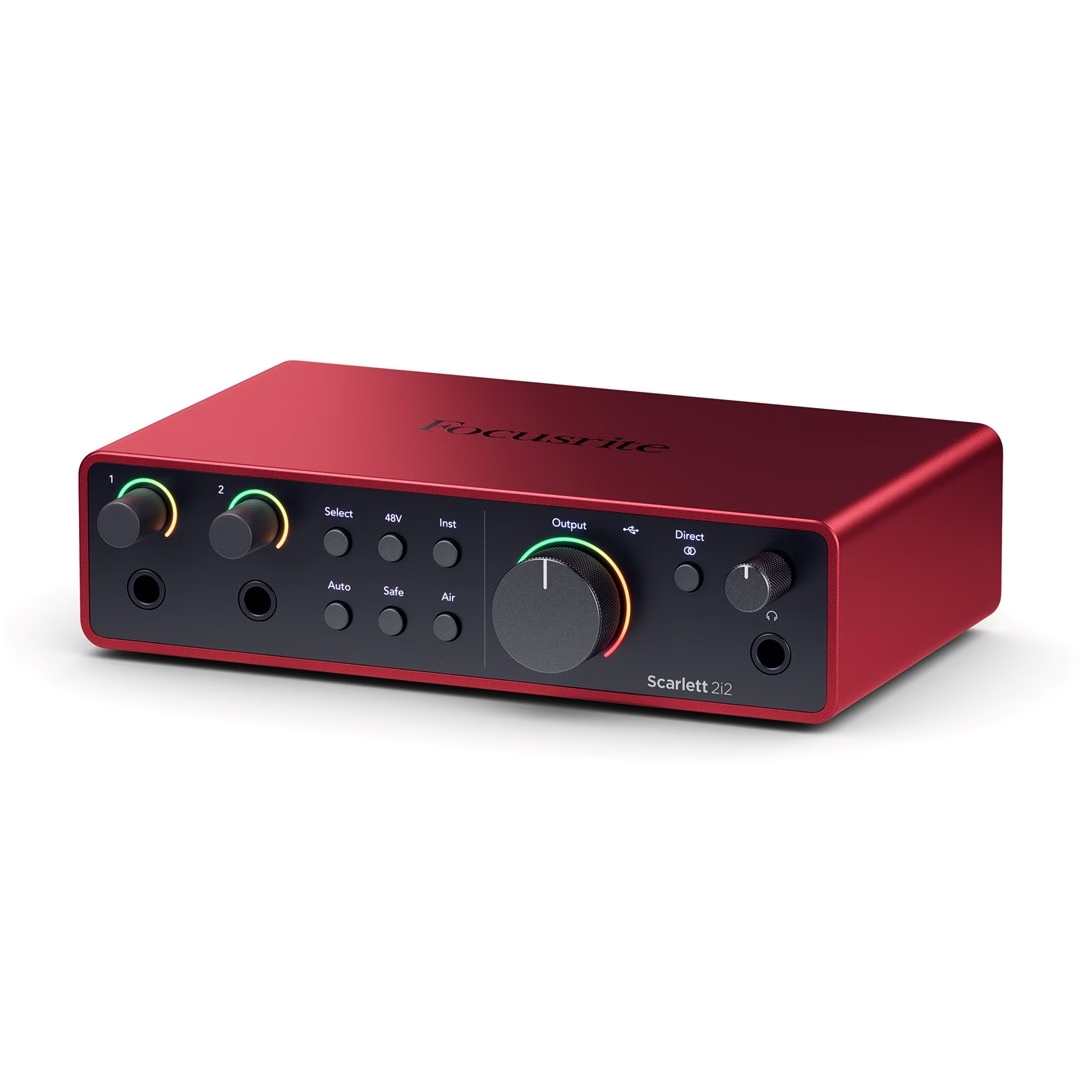
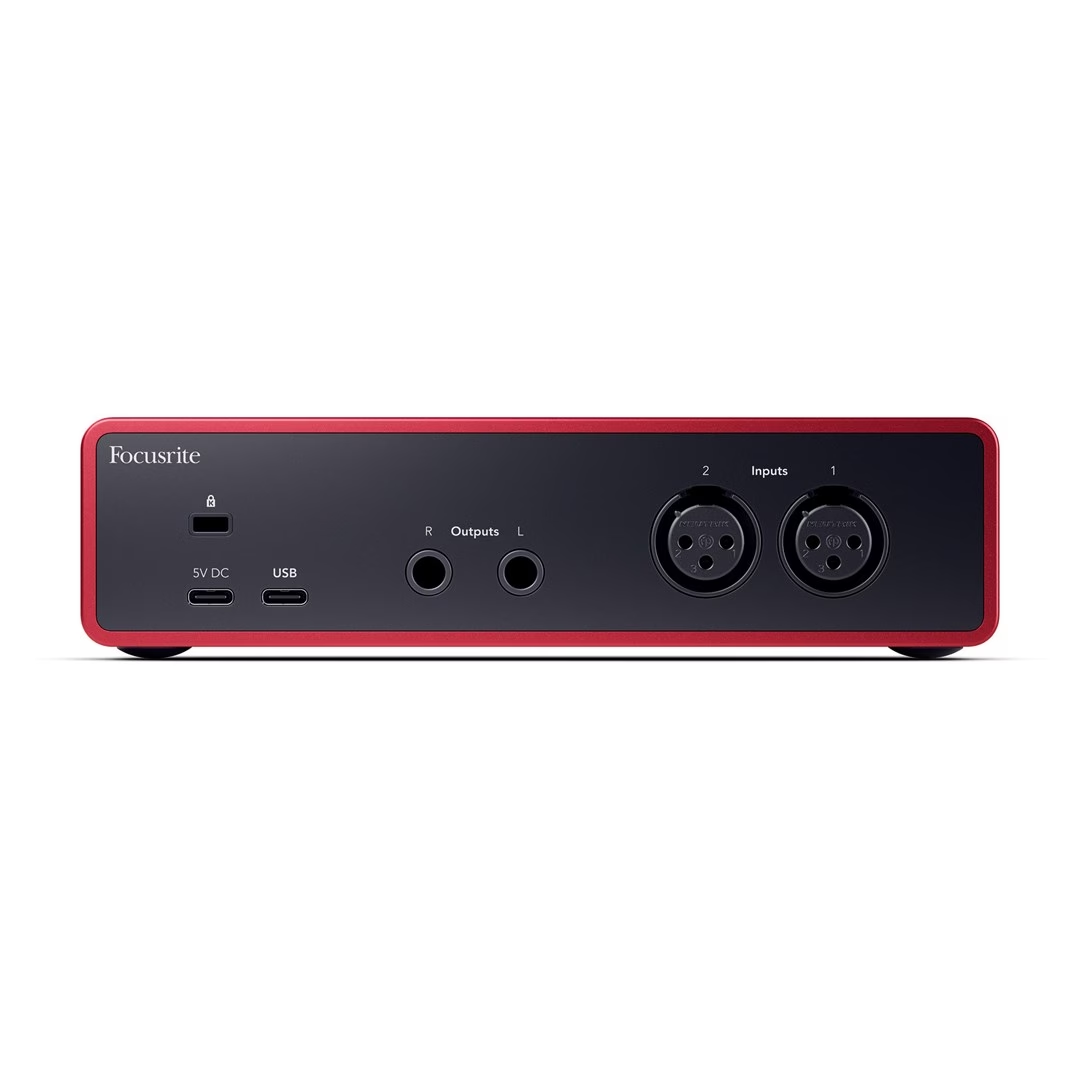
The rear panel of the two-channel USB audio interface has two Neutrik XLR microphone inputs, and the front panel has two 6.35 mm jack inputs, where the Inst button switches between line and instrument level. When a jack is plugged into the front socket, the XLR input of the same channel is switched off. The phantom power button sends 48 V to both XLR inputs, which is needed by condenser microphones.
Auto Gain, Clip Safe and Air
After pressing the Auto button, the audio interface listens to a song or instrument and sets the preamp gain itself. Clip Safe, switched on with the Safe button, monitors the input signal up to 96,000 times per second and reduces the gain if there is a risk of overload. The first stage of Air mode gives the preamp an analogue Presence boost, and the second stage adds Harmonic Drive’s harmonic overtones. Clip Safe and Harmonic Drive work at sampling rates up to 96 kHz.
Direct monitoring and Loopback
The Direct button sends the inputs straight to the headphones and monitor speakers without the latency caused by the computer, in either mono or stereo mode. Loopback routes the computer’s audio to input channels 3 and 4, so it can be recorded or streamed together with your voice. Without a computer, the audio interface works in standalone mode if it receives power from a USB power supply.
Outputs and power
Monitor speakers connect to two balanced TRS outputs, and headphones connect to the 6.35 mm TRS socket on the front panel. Focusrite recommends headphones with an impedance of up to 300 Ω. The USB-C connection needs 900 mA from the computer. If the computer’s USB port does not provide that much, a separate USB power supply can be connected through the second, 5 V power socket.
Setup and use
- Connect the audio interface to the computer with the supplied USB cable. When first connected, it appears on the computer as a storage device, from which the Easy Start setup guide starts.
- During setup, install Focusrite Control 2, which updates the audio interface’s firmware and unlocks sampling rates up to 192 kHz. In Easy Start mode, the audio interface works at up to 48 kHz.
- On Windows, Focusrite Control 2 also installs the driver, whereas on macOS no driver is needed.
- In your recording software, select Scarlett as the audio device. On Windows, select Focusrite USB ASIO as the driver.
- Set the input level with the Gain knob or with Auto Gain so that the Gain Halo does not light up red.
Included in the box
- Scarlett 2i2 4th Gen USB audio interface
- USB cable with USB-C and USB-A connectors
- Getting started guide on the inside of the box lid
- Safety information leaflet








































Reviews
There are no reviews yet.