


Description
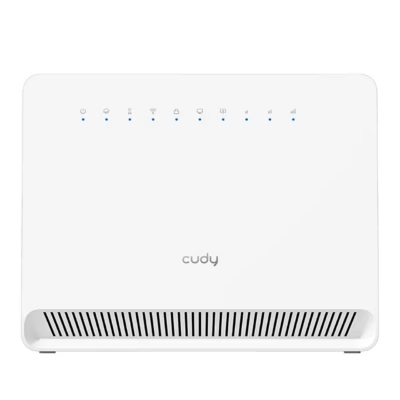
White dual-band Wi-Fi router Cudy WR1200 – a fast and reliable solution for home and office
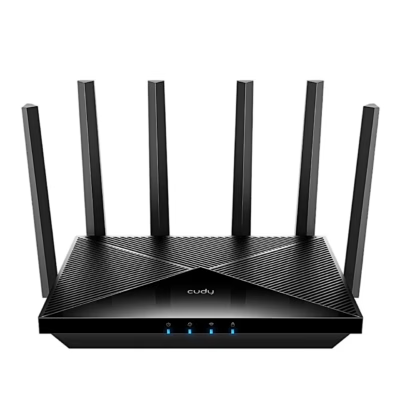
The Cudy WR1200 dual-band Wi-Fi router provides a stable and fast wireless connection at home and in a small office, allowing several devices to connect at the same time on the 2.4 GHz and 5 GHz frequency bands. Thanks to the modern Wi-Fi 5 (802.11ac) standard, you can reach speeds of up to 867 Mbps, and four powerful external antennas ensure strong coverage in larger rooms. The router’s compact dimensions and minimalist white design suit any interior.
Main features
- Dual-band Wi-Fi: Supports the 2.4 GHz (up to 300 Mbps) and 5 GHz (up to 867 Mbps) bands at the same time for better capacity and speed.
- Four 5 dBi external antennas: Provide wider coverage and better connection reliability in different rooms.
- Compatibility: Suitable for macOS and Windows (all major versions) and all the most common web browsers.
- Versatile security: WPA2-PSK, WPA, WEP, parental control and a firewall improve network security.
- Guest network: A separate guest network on both the 2.4 GHz and 5 GHz frequencies.
- Built-in VPN support: Supports PPTP, L2TP, OpenVPN and WireGuard as a client for a secure remote connection.
- Easy installation: Includes a quick installation guide and all the necessary cables and adapters.
- Management features: WPS button, web management, MAC and IP address filtering.
Technical data
- Processor and memory: 64 MB RAM, 8 MB flash memory.
- Wi-Fi standards: Wi-Fi 5 (802.11ac), Wi-Fi 4 (802.11n), 802.11b/g/a.
- Data transfer speed: 2.4 GHz up to 300 Mbps, 5 GHz up to 867 Mbps.
- Antennas: 4 external antennas, with gain of up to 5 dBi.
- Ports: 1× WAN RJ-45 (Fast Ethernet 10/100), 4× LAN RJ-45 (Fast Ethernet 10/100).
- LED indicators: LAN, WAN, WLAN, power.
- USB: none.
- Power: DC 12 V, 1 A (adapter included).
- Dimensions (router): 221 × 134.6 × 27.9 mm.
- Package dimensions: 290 × 260 × 65 mm.
- Weight: 640 g.
- Operating temperature and humidity: 0 – 40 °C, relative humidity 10–90%.
Instructions for use
To install, connect the router’s WAN port to your internet service provider’s modem and connect the power adapter. The router is Plug & Play; follow the quick installation guide or use the web-based management interface to set up the network. The Wi-Fi network names and passwords are printed on the bottom of the router; for security reasons, it is worth changing them right away. It is recommended to update the firmware regularly to ensure safer and more stable operation. Maintain the device by placing it on a dry, dust-free surface and clean off dust periodically.
Maximum functionality at an affordable price
The Cudy WR1200 dual-band Wi-Fi router is a reliable solution for homes and small offices, offering versatile connection options, security solutions and simple setup. The package includes the router, power adapter, LAN cable and quick installation guide. Thanks to its reliability and modern features, the WR1200 is a good fit for those who value a good price-to-quality ratio.




















































Reviews
There are no reviews yet.