


Description
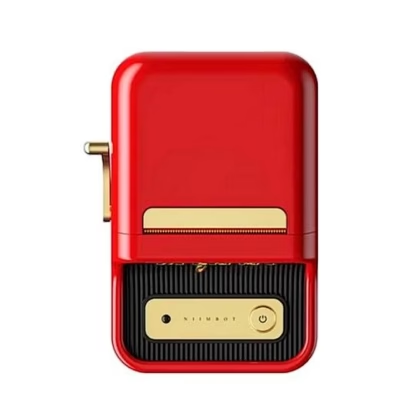
The Niimbot B21 Pro portable label printer in green helps organise the home and the office
When labelling has to be quick and clear, the Niimbot B21 Pro offers a solution that reduces confusion and keeps things in place. The compact printer works with thermal printing, so no ink or toner is used up, only label rolls. Through the smart app you can adapt the design, and with a Bluetooth connection print straight from your phone. A 300 dpi resolution ensures sharp text and barcodes, and the adjustable 20-50 mm print width covers both small and larger labels.
Main features
- Ink-free thermal print keeps costs low and maintenance simple; only suitable labels are needed.
- 300 dpi print quality ensures well-legible text, barcodes and QR codes on a smaller surface as well.
- A 20-50 mm print width suits spice jars, folders, containers and price tags.
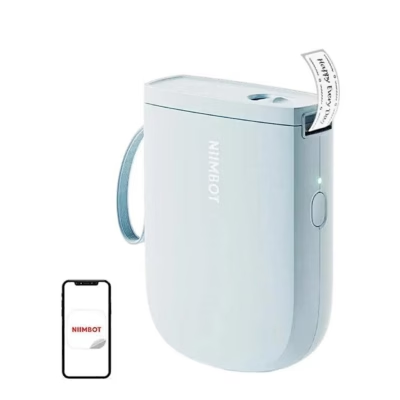
- A Bluetooth connection and a dedicated app let you change the design with fonts, icons and templates.
- USB-C charging and a 1500 mAh battery allow you to use the printer for a long time without a plug.
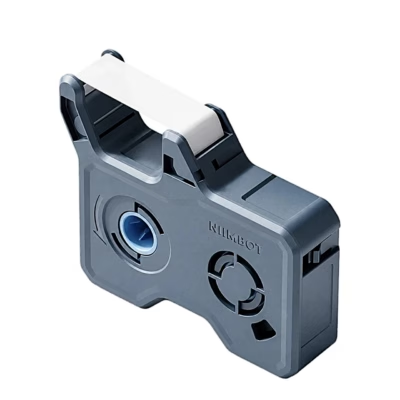
- Support for dual-colour labels adds the option of red print in addition to black; the rolls are available separately.
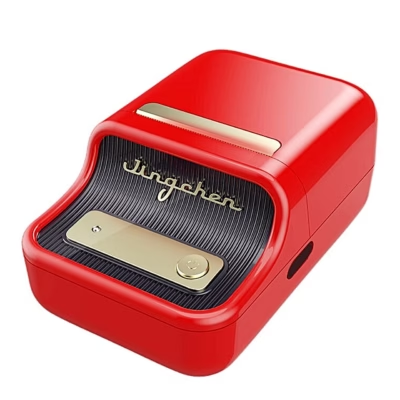
- A light and compact body with a retro-flavoured design looks proper on a desk.
.jpg)
A compact shape and a clear result
The Niimbot B21 Pro is small and light, suiting both home and office. Thermal printing means that no ink cartridges or toners are needed and maintenance stays minimal. The app, controlled over Bluetooth, lets you enter text, choose fonts and add icons, then print labels right away as needed.

Functionality that makes life easier
The printer suits documents, outdoor pockets, spice jars, storage boxes and also creating simpler price tags. 300 dpi quality gives sharp barcodes and logistics markings. The 1500 mAh battery allows a long operating time and if needed you add power conveniently with a USB-C cable.

A retro-flavoured design, modern technology
The stylish body is inspired by classic typewriters and fits well into a modern interior. Visual simplicity hides a smart app, a stable Bluetooth connection and a reliable thermal printing module that produces an even result every time it is used.

Easy to use and a wide choice
Start in three steps: insert the label roll, create the design in the app and print. You can choose among several fonts, icons and templates. The printer supports transparent and paper labels and with dual-colour rolls it is possible to print in red in addition to black. Dual-colour rolls are not included in the set.
Use, compatibility and care
Set up the printer with your phone in a couple of simple steps. Connect over Bluetooth, open the dedicated app and choose a suitable label format. Printing takes place without ink, so you need only label rolls of the right width. Paper and transparent rolls are available and, if you wish, dual-colour rolls with black and red print, which can be bought separately.
Maintenance is minimal. Keep the thermal head clean, avoid long exposure of labels to direct sun and heat and update the app regularly to get access to new fonts and templates. This preserves the clarity of the print and the reliability of the device.
Installation and usage recommendations
Download the app, charge the printer until the battery is sufficient, then open the cover and place the roll with the print direction forward. Close the cover, switch the device on and establish a connection with your phone. In the app choose a suitable 20-50 mm label width, enter the text or import codes, preview and print. We recommend keeping a spare roll at hand and using a USB-C cable for quick charging.
In the set
- Thermal printer Niimbot B21 Pro
- USB-A to USB-C cable for charging
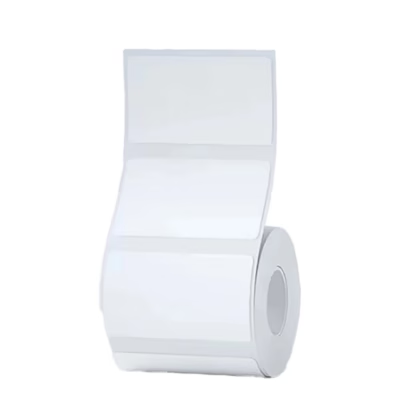
- Label roll 50 × 30 mm 230 pcs
- User guide
Ready to organise and label
The Niimbot B21 Pro helps create unified and legible labelling at home and at work. Thermal printing reduces cost and maintenance, a Bluetooth connection and the app speed up the workflow and the 20-50 mm print width covers a large part of everyday needs. If you want clearly labelled shelves, boxes and documents, add the printer to your basket and start labelling right away.












































Reviews
There are no reviews yet.