


Description
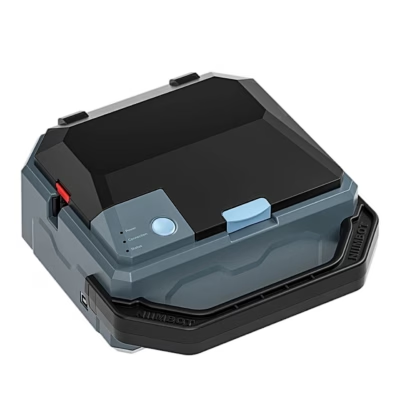
Niimbot K3 portable label printer in cream: 203 dpi clarity and 180 mm/s speed for everyday labelling
The Niimbot K3 portable label printer makes organising and labelling smooth at home and in the office alike. 203 dpi thermal printing ensures readable and equally clear labels, and a speed of 180 mm/s reduces waiting time when a large volume of labels has to be ready quickly. The compact size of 232 × 145 × 148 mm and the light body suit a desk well, and connecting the printer is simple via Bluetooth or USB.
Key features
- Thermal printing without ink and toner reduces running costs and removes the risk of smudging.
- A print speed of 180 mm/s helps prepare a large number of labels in a short time and keep up the pace of the workflow.
- 203 dpi resolution ensures barrier-free legibility for text, barcodes and small details.
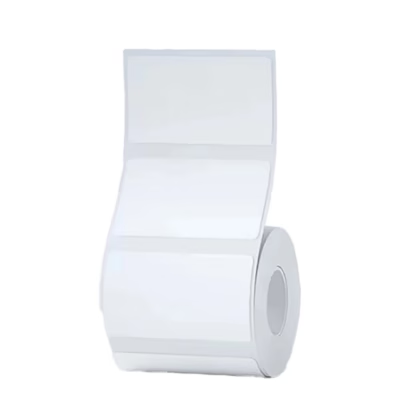
- Supports labels 20-80 mm wide and 15-300 mm long, and the automatic recognition of RFID rolls sets the parameters by itself.
- Bluetooth and USB connection for simple pairing with phones, tablets and computers.
- Compatible with Android, iOS and Windows platforms, and up to 10 phones can be paired at once.
- The compact body weighs only 1.2 kg and takes minimal space on a desk.
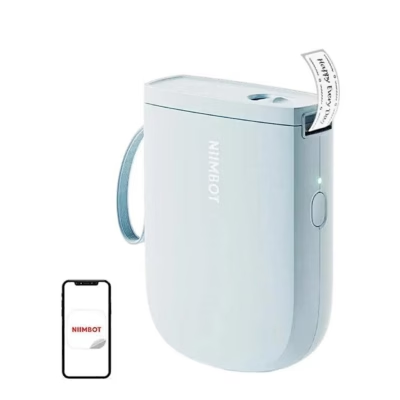
- The Niimbot app offers ready-made templates, your own designs and cloud sync for convenient work.

Clear and durable print at 203 dpi
With a resolution of 203 dpi, the print is even and readable even on a small label. Thermal printing means that no ink or toner is needed and the prints stay clean and even. Because of the nature of the material, the labels are resistant to fading and smudging in typical usage situations.

Fast print at 180 mm per second
A speed of 180 mm/s lets you label products, folders or shipping notes quickly even when the volume grows. Productivity does not reduce quality, and precise edges and fine lines are preserved, which is why the device suits logistics and retail well, where speed and accuracy are equally important.

Wide compatibility and connections
The printer works with devices that use Android, iOS or Windows 7/10. You can establish the connection via Bluetooth or USB, and up to 10 smartphones can be paired at once, 3 iOS and 7 Android. This simplifies teamwork and gives the flexibility to print from a phone, tablet or computer.

Flexible label support and automatic recognition
The K3 supports labels with a width of 20-80 mm and a length of 15-300 mm, so it covers small shelf labels as well as longer delivery stickers. The RFID function on Niimbot rolls recognises the material type automatically and sets suitable parameters, which speeds up setup and reduces the risk of errors.

Dedicated app for design
The Niimbot app is available on the App Store and Google Play and lets you create designs on a phone or tablet. You can use ready-made templates or design your own, and cloud sync ensures that the layouts are available from several devices. This gives you control over the look of the labels and speeds up the work process.

Compact design and easy placement
The compact body with dimensions of 232 × 145 × 148 mm and a weight of 1.2 kg fits comfortably on a desk and does not get in the way of the workspace. The aim of the design is to ensure easy portability and quick adoption at different workplaces.
Compatibility, accessories and care
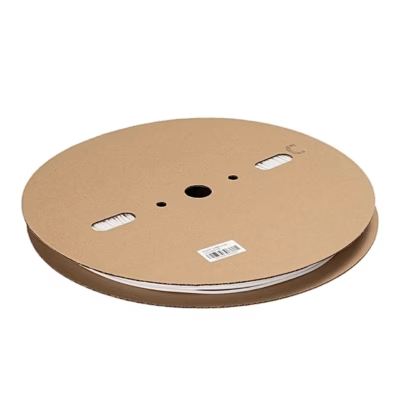
The K3 needs no ink or toner, because it uses direct thermal printing. The best results come from thermal label rolls, among which the RFID function recognises Niimbot rolls automatically and sets the correct parameters. The box contains a 50 × 30 mm trial roll, which suits a quick start. If necessary, choose labels 20-80 mm wide and 15-300 mm long for work.
Connecting is simple via Bluetooth or USB and the printer is compatible with Android, iOS and Windows 7/10 devices. In teamwork, up to 10 smartphones can be paired, 3 iOS and 7 Android, which makes shared designing and printing smooth.
To maintain regular reliability, clean the print head and rollers from time to time with a suitable cleaning agent, for example an isopropanol-based cleaning pen, and prevent dust from getting into the mechanism. This keeps the print line clean and the label feeding even.
Steps for use and setup
Open the cover and place the label roll into the holder and make sure the label runs in the right direction under the print head. Connect the 24 V 2.5 A power adapter and switch the device on. Download the Niimbot app and pair the printer via Bluetooth or use a USB connection with a computer. Choose a template or create a design, check the label size and start printing. With RFID rolls, the parameters are set automatically.
In the box
- Thermal label printer Niimbot K3
- 50 × 30 mm label roll for trying out
- USB cable for connecting
- Power cable
- Power adapter 24 V 2.5 A
- User manual
Ready for faster and clearer labelling
If you need a fast and even result without extra costs for ink, the Niimbot K3 offers 203 dpi quality and a speed of 180 mm/s in a compact body. Bluetooth and USB connections, app templates and RFID automatic recognition help save time and reduce the number of errors. Order now to bring labelling in your daily work to a reliable and efficient level.















































Reviews
There are no reviews yet.