


Description
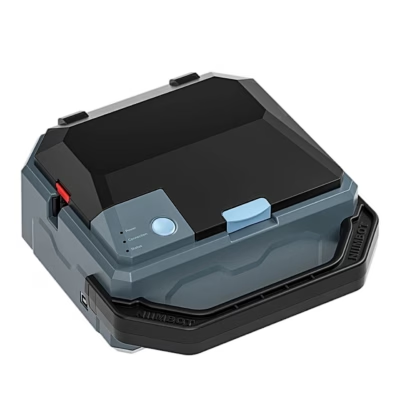
Niimbot K3 label printer: fast and clear labelling at home and at work
The Niimbot K3 label printer makes organising and marking items easy both in the office and at home. The compact body with dimensions of 232 × 145 × 148 mm and a weight of about 1.2 kg fits easily on a desk and is convenient to take along when needed. Thermal printing means that no ink or toner is needed, so everyday use is carefree and costs are predictable. The result is clear labels that help keep the workflow smooth and save time.
Key features
- Thermal printing: needs no ink or toner, which reduces running costs and makes maintenance easy.
- 203 dpi resolution ensures even and clear text, barcodes and pictograms.
- A print speed of up to 180 mm/s helps quickly prepare a large number of labels at peak times.
- Flexible connectivity via Bluetooth and USB allows work with both mobile devices and computers.
- Supports labels 20-80 mm wide and 15-300 mm long, and RFID rolls for automatic recognition.
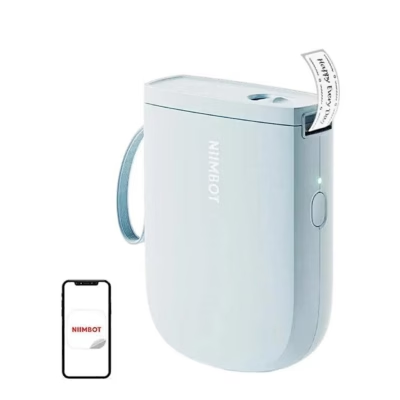
- The Niimbot app for iOS and Android brings templates, design tools and cloud synchronisation into one place.
- Compact and light body of 232 × 145 × 148 mm, approx. 1.2 kg: easy to place and move.
- Up to 10 phones can be paired at once, which suits teamwork from logistics to retail.

Outstanding print quality
With a resolution of 203 dpi, every label is readable and has a correct line, which improves the visibility of documents and packaging. Thermal technology removes the need for ink and toner and reduces costs. The finished labels are resistant to fading and smudging, so the K3 suits a variety of labelling jobs over long-term use.

Fast printing
A print speed of up to 180 mm/s makes it possible to prepare a large number of labels in a short time. This suits businesses well where products or documents have to be labelled quickly. High speed does not reduce quality, so the K3 meets the accuracy and efficiency required in fields from the logistics department to retail.

Wide compatibility
The printer is compatible with devices in Android, iOS and Windows 7/10 environments. You can establish the connection via Bluetooth or USB, and up to 10 smartphones can be paired at once, 3 iOS and 7 Android. This way labels can be sent directly from a phone, tablet or computer, which speeds up everyday workflows.

User-friendly
The K3 supports labels 20-80 mm wide and 15-300 mm long. Niimbot rolls with the RFID function are recognised automatically, which sets the label type and dimensions by itself. Thanks to this, rolls can be changed quickly without manual setup and labelling becomes much smoother.

Dedicated app
The Niimbot app from the App Store and Google Play lets you create and print labels directly from a phone or tablet. You can use ready-made templates or design the labels yourself to keep the look uniform. Cloud synchronisation lets you save designs online and access them from different devices.

In the box
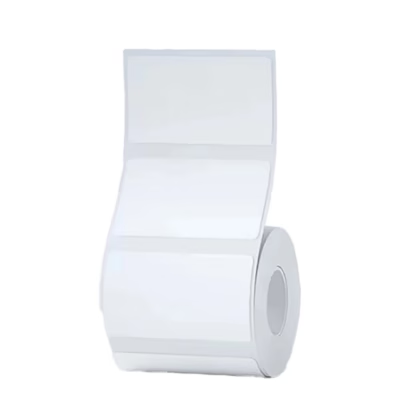
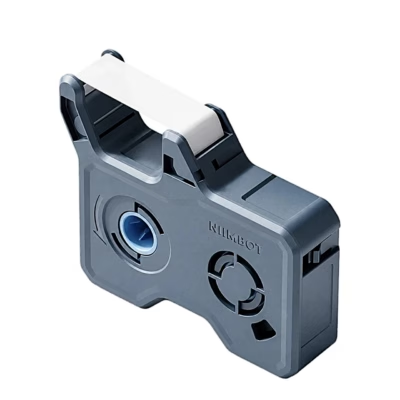
Included are a thermal printer, a 50 × 30 mm label roll to get started, a USB cable, a power cable, a power adapter and a user manual. This way the device can be put to work straight after taking it out of the box.
Compatibility and accessories for everyday work
The Niimbot K3 needs no ink or toner, as it uses thermal printing. You can establish the connection via Bluetooth or USB, and the device works with Android, iOS and Windows 7/10 platforms. If necessary, up to 10 smartphones can be paired, which suits shift work well or when several people need to prepare labels.
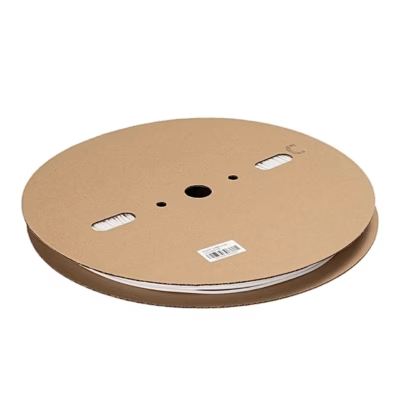
The label support range is 20-80 mm in width and 15-300 mm in length. Niimbot rolls with RFID support are recognised automatically, which reduces the risk of incorrect setup. The box contains one 50 × 30 mm roll to get started; additional rolls should be ordered according to usage needs. For maintenance, periodic cleaning of the print head with dry cleaning or an agent recommended by the manufacturer is generally sufficient.
Setup and usage recommendations
Install the Niimbot app on an iOS or Android device or establish a USB connection with a computer. Insert a label roll of a suitable width and close the cover. When using an RFID roll, the printer recognises the type automatically; otherwise set the width and length settings in the app. Make a test print to check alignment and density. Keep the device on a level surface, avoid extreme heat and clean the print head from time to time to maintain stable quality.
In the box:
- Thermal printer Niimbot K3
- Label roll 50 × 30 mm
- USB cable
- Power cable
- Power adapter
- User manual
Choose a reliable tool for fast labelling
The Niimbot K3 combines a high print speed, a clear 203 dpi result and convenient control via the app. If you are looking for a practical solution for creating everyday labels with flexible connectivity and low running costs, this model is a well-thought-out choice for both the office and smaller-scale production.















































Reviews
There are no reviews yet.