


Description
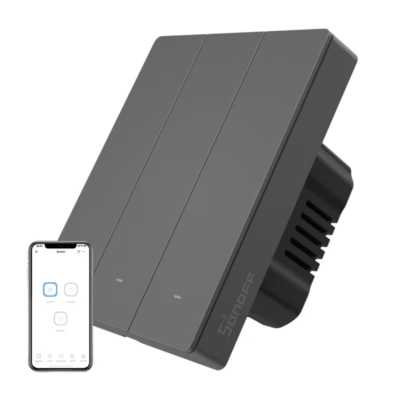
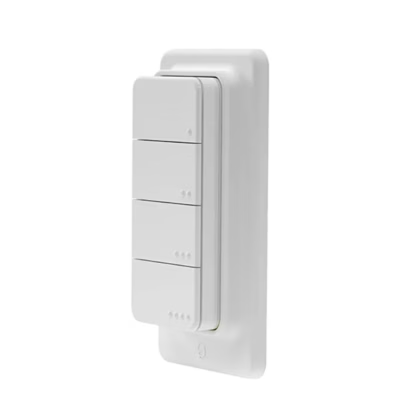
The Sonoff ZBM5-2C-80W Zigbee touch wall switch brings smart lighting even to old wiring
If the light switches in your home lack a neutral wire, or on the contrary you have new cabling, the Sonoff ZBM5-2C-80W makes both situations simple. This Zigbee 3.0 touch wall switch works both with and without a neutral and lets you control the lighting from the app, with scenes and by voice command. Thanks to the detach relay function, smart bulbs stay on the network even when the switch is switched off, which keeps automations working.
Main features
- Works without and with a neutral, suits both an older and a renovated electrical installation. In the no-neutral mode the load needs a minimum of 3 W.
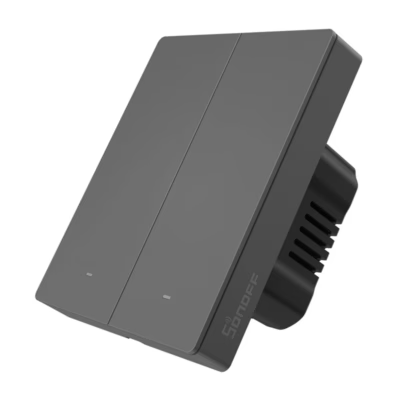
- 2 channels let you control two lighting circuits separately, saving time and reducing the number of wall panels.
- Up to 10 A in total: supply 100-240 V 50 or 60 Hz. A resistive load of up to 10 A per channel, the total load of the device up to 10 A. LED load up to 400 W per channel @240 V.
- The eWeLink app: remote control, schedules and automations through a compatible SONOFF Zigbee gateway.
- Voice control works through Amazon Alexa and Google Home for convenient switching without touching the phone.
- Zigbee2MQTT and ZHA support allows interfacing with open platforms and devices from different manufacturers in one system.
- Detach relay keeps smart bulbs permanently powered so that they do not disappear from the network when the wall switch is in the OFF position.
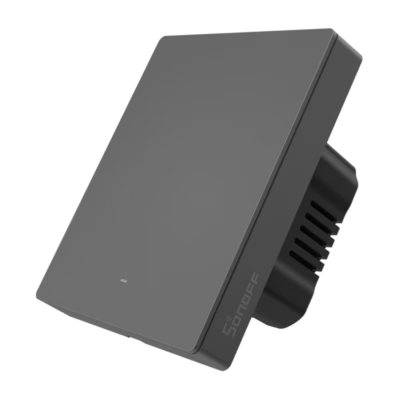
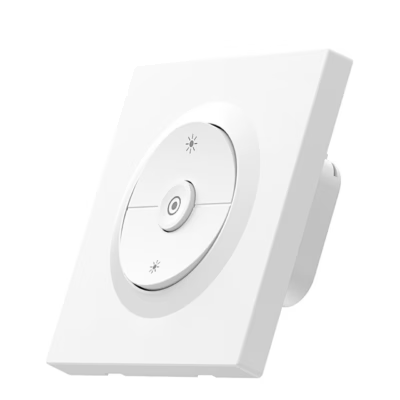
- Design and dimensions: white front panel, dimensions 86 × 71 × 40.3 mm. Operating temperature -10 to 40 °C.

Compatible with your home
The Sonoff ZBM5 suits most home installations, both no-neutral solutions that are common in buildings from before 1980 and systems with a neutral that are typical in newer or renovated houses. This flexibility lets you use automation and remote control regardless of how old your electrical wiring is, and reduces the need for rewiring.

Control within your reach
The iOS and Android eWeLink app lets you see the state of the switch, switch the lights on and off and adjust settings remotely. To use remote control and automations, a compatible SONOFF Zigbee gateway is required, for example iHost, NSPanel Pro, ZBBridge-U or ZBDongle-E. This way you can manage the lighting regardless of location.

Convenience at every step
Set schedules so that the lights go out automatically at a time you choose, which supports a healthy daily rhythm. When your hands are busy, use voice control through Alexa or Google Home. Thanks to Zigbee2MQTT and ZHA support, the switch joins open platforms easily, to create a complete smart home from devices of different manufacturers.

Automation and smart scenarios
Create scenes according to your life rhythm. The Zigbee protocol allows, for example, two-way control together with a Zigbee wireless button or switching based on sensors from the signals of motion and door sensors. The Detach relay mode ensures that smart bulbs do not lose power even when the wall panel is switched off, so that automated scenes work stably.

In the set
The box contains the touch switch, two fixing screws and a user guide, so that you can start installation right away.
Compatibility, necessary additional equipment and care
To use remote control and automations, a compatible SONOFF Zigbee gateway and the eWeLink app are required. The switch is compatible with the Zigbee2MQTT and ZHA community platforms, which allows you to add it to an open-source smart home as well. It is not a dimmer; the device offers ON or OFF switching.
With a connection without a neutral wire, the load must be at least 3 W. With a very small LED load or flickering, an additional bypass may prove necessary based on the manufacturer’s instructions. The load limits are up to 10 A per channel, the total load of the device up to 10 A in all. LED load up to 400 W per channel @240 V, up to 400 W in all @240 V.
Maintenance is minimal. Keep the front panel clean and dry and avoid abrasive agents. Manage software updates and automations through eWeLink or the Zigbee platform of your choice.
Installation and use
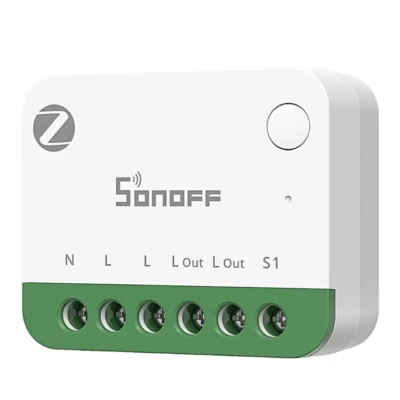
Before installation, switch off the power at the fuse board and make sure the circuit is de-energised. Connect the live wire to the L input and the control wires of the lighting circuits to the corresponding channel outputs. If your installation has a neutral wire, connect the N terminal too. In the no-neutral mode, follow the minimum load condition. Fix the switch in the box, install the front panel and switch the power on.
For pairing with an open gateway, put the gateway into pairing mode and touch the panel according to the guide, then add the device in the eWeLink app. Now you can create schedules, scenes and voice commands through Alexa or Google Home. If you use the Zigbee2MQTT or ZHA platform, add the device according to their guides.
In the set:
- Touch Zigbee wall switch
- Fixing screws x2
- User guide
Take lighting control to a new level
Choose the Sonoff ZBM5-2C-80W if you want smart lighting without redoing the wiring. Operation with and without a neutral, reliable Zigbee 3.0 communication and eWeLink automations offer a flexible solution that saves time and makes everyday switching convenient.








































Reviews
There are no reviews yet.