


Description
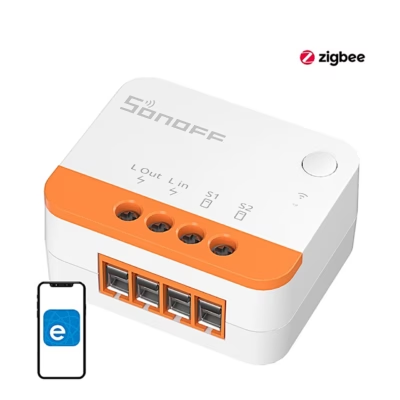
The Sonoff MINI-ZB2GS Zigbee two-channel mini switch solves double lighting control and network coverage worries
If two light or device circuits need to be controlled in one location and at the same time the range of the home Zigbee network needs to be improved, the Sonoff MINI-ZB2GS Zigbee two-channel mini switch is a practical solution. The compact module provides two independent channels of up to 2×10 A and also works as a Zigbee router, which stabilises the network connection in more distant rooms too. It suits apartments and detached houses where you want to keep the existing wall switches and add smart schedules via eWeLink or Home Assistant.
Main features
- 2 independent channels with up to 10 A per channel and 16 A in total allow, for example, ceiling and worktop lighting to be controlled separately from one place, saving time and reducing the need for additional switches.
- A Zigbee 3.0 router extends the coverage area of the network and raises reliability, so that sensors and switches stay stably connected even in larger homes.
- Wide compatibility with eWeLink and with Home Assistant via ZHA or Zigbee2MQTT, which allows a flexible smart home solution to be built.
- Switch support: bi-stable, mono-stable and SPDT, so you can continue the habitual manual control.
- Detach Relay allows the scenes of smart bulbs to be controlled without interrupting the power, so that the bulbs always stay on the network.
- Power restore settings On Off or last state help avoid unwanted switching on after a power cut.
- Safety and durability: a flame-retardant PC housing, overheating and overvoltage protection and an EFR32MG21 chip with ceramic antennas.
- The compact shape of 45 × 39.4 × 16.8 mm fits into 86 EU and 120 type flush boxes from a depth of 60 mm.

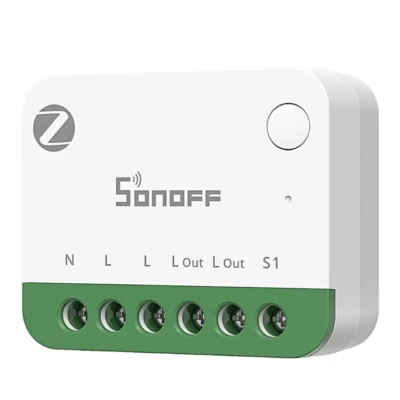
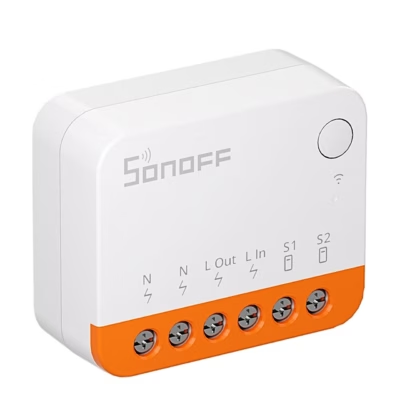
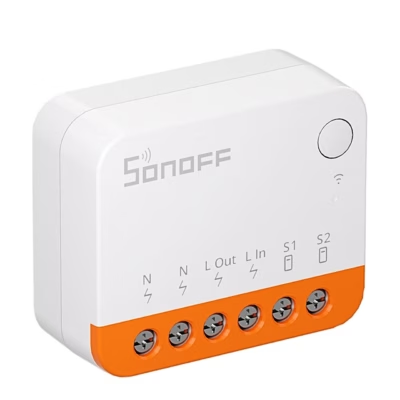
Sonoff MINI-ZB2GS ZigBee two-channel mini switch
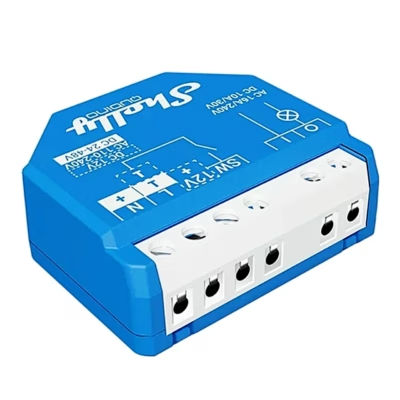
The MINI-ZB2GS is a compact two-level smart switch based on the Zigbee 3.0 protocol. With it you can control light or other loads and at the same time strengthen the home Zigbee network. The small housing of 45 × 39.4 × 16.8 mm allows hidden installation behind most wall switches. Two independent outputs support a total load of up to 16 A, offering flexibility in managing several light points. The device works as a Zigbee router and works together with eWeLink, Home Assistant ZHA or Zigbee2MQTT and many Zigbee hubs.

Zigbee 3.0 protocol
The latest Zigbee 3.0 standard ensures a reliable connection and low energy use. A separate Zigbee hub is needed to operate, for example ZBBridge-P, ZBBridge-U, NSPanel Pro, iHost or the popular USB sticks ZBDongle-P and -E, Dongle-M, Dongle Plus MG24, Dongle Lite MG21. Thanks to the open ecosystem the module fits easily into the home network and works as a router to strengthen the signal and extend the coverage area in larger homes.

Two independent loads in one module
The relay allows two light sources or devices to be controlled from one location. It suits a living room with several light points and a kitchen with separate ceiling and worktop lighting. Each channel supports up to 10 A and up to 16 A in total on a resistive load. Support for bi-stable, mono-stable and SPDT switches offers flexibility in designing the solution.

Integration with eWeLink and Home Assistant
The device is compatible with the eWeLink app, offering access to schedules, switching modes and Detach Relay settings. Users of open solutions can use Home Assistant integration via ZHA or Zigbee2MQTT, which allows automations to be created and the device to be managed also without the manufacturer’s cloud. This gives greater control when building a smart home.

Smart scenes to your everyday rhythm
Create personalised automations according to your day. The light can come on when movement is detected together with a suitable motion sensor, for example the SNZB-03P, and a Zigbee hub, go out when you leave home or switch on in a corridor at a certain time. This way you achieve convenience and consistency in every room.

Detach Relay for smart bulbs
Activate Detach Relay to separate the operation of the physical button from the power control. The wall switch then becomes a smart trigger that controls the light scenes of Zigbee smart bulbs without interrupting their power. The function needs a Zigbee hub to work, to ensure smooth switching of scenes.

Power-on settings after a power cut
Configurable power-on options allow the device to remember the last state, stay off or switch on when power is restored. This way your devices behave exactly as you prefer. This adds convenience and peace of mind after power outages and system restarts.

Safety and reliability
The flame-retardant PC housing, overheating and overvoltage protection and an EFR32MG21 chip with ceramic antennas ensure durable and stable operation and a stronger signal. Despite its compact dimensions the device supports a total load of up to 16 A. Installation is possible in 86, EU and 120 type flush boxes with a minimum depth of 60 mm. Certificates CE, FCC and RoHS.
Compatibility, accessories and maintenance
The device needs a Zigbee hub, which is sold separately. Compatible ones are for example the Sonoff ZBBridge-P and ZBBridge-U, NSPanel Pro, iHost and several USB dongles such as ZBDongle-P and -E, Dongle-M, Dongle Plus MG24 and Dongle Lite MG21. It works with the eWeLink app and integrates with Home Assistant via ZHA or Zigbee2MQTT, which allows flexible automations to be created.
During installation, take into account the dimensions of 45 × 39.4 × 16.8 mm and the minimum depth of the flush box from 60 mm. It is compatible with common switch types: bi-stable, mono-stable and SPDT. The housing is made of flame-retardant PC material and the product has CE, FCC and RoHS markings.
Among accessories, it is convenient to add a motion sensor or a door sensor to automate lighting with events. Maintenance is minimal, it is recommended to check the security of the connections from time to time and to keep Zigbee hubs and routers in a suitable location to avoid interference.
Installation and usage recommendations
Before starting work, switch off the power and follow the connection diagram given in the user manual. Install the module behind the wall switch in a flush box of sufficient depth. Connect the input and output to the two circuits of the two channels respectively and set the switch type in the app. If necessary, enable the Detach Relay mode for controlling the scenes of smart bulbs and set the power-on behaviour after a power cut.
To improve the reliability of the Zigbee network, add to a power socket a device that supports a Zigbee router or place the MINI-ZB2GS strategically between floors. You can set up automations in eWeLink or Home Assistant with schedules, movement and location-based rules.
Included in the set
- Sonoff MINI-ZB2GS Zigbee two-channel mini switch
- User manual
Make your lighting smarter and your network more stable
Choose the Sonoff MINI-ZB2GS if you need two independent outputs in one compact module and at the same time want to extend the coverage area of the Zigbee network. Flexible compatibility with eWeLink and Home Assistant and functions such as Detach Relay and power-on settings give precise control in every room. Order today and make your existing lighting smart without making major changes.









































Reviews
There are no reviews yet.