

Description
USB sound card with microphone and instrument input
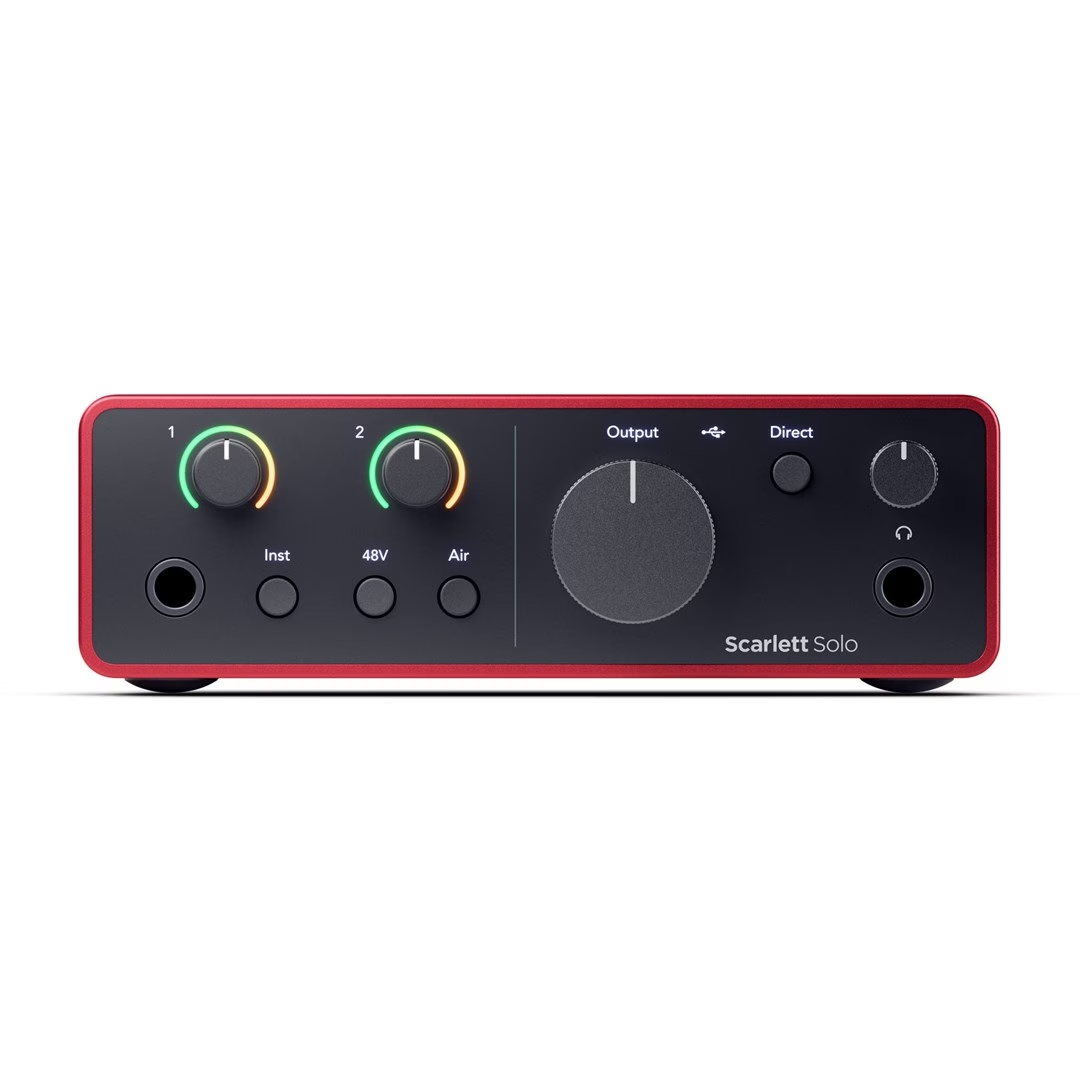
The two-input USB sound card has a 6.35 mm jack input on the front panel for guitar, bass guitar or line-level devices, and a Neutrik XLR microphone input on the rear panel. The Inst button switches the front panel input between line and instrument level. For a condenser microphone, the 48 V phantom power button switches power to the XLR input on. Each input has its own Gain knob and a Gain Halo light ring, which shows overload with a red light.
Air mode and direct monitoring
In Air mode on the microphone input you can choose analogue Presence boost, or Presence together with Harmonic Drive, which adds upper harmonics and works at sampling rates up to 96 kHz. When you press the Direct button, you hear the inputs in your headphones and studio monitors without any latency caused by the computer. With the Loopback function, you can record or stream the computer’s audio together with the microphone via input channels 3 and 4.
Outputs and power
For studio monitors there are two balanced TRS outputs on the rear panel, and the 6.35 mm headphone output on the front panel has its own volume knob. Focusrite recommends headphones with an impedance of up to 300 Ω. The sound card needs 900 mA of current from the computer’s USB port. Without a computer, it works in standalone mode with a USB power supply, such as a phone charger.
Setup and use
- Connect the supplied USB cable between the sound card and the computer, and open the Scarlett Solo 4th Gen that appears on the computer as a storage device to start the Easy Start setup guide.
- Install Focusrite Control 2, which updates the firmware, and then you can use a sampling rate of up to 192 kHz. Before that, the sound card works at up to 48 kHz in Easy Start mode.
- On Windows, Focusrite Control 2 also installs the driver; on a Mac, no separate driver is needed.
- In your recording software, select Scarlett Solo 4th Gen as the audio device, or Focusrite USB ASIO on Windows.
- When connecting a guitar, press the Inst button, and for a condenser microphone, switch on phantom power. Then turn the Gain knob until the Gain Halo lights up green.
Included in the box
- Scarlett Solo 4th Gen USB sound card
- USB cable with USB-C and USB-A connectors
- Quick start guide on the inside of the box lid
- Safety information leaflet












































Reviews
There are no reviews yet.