
Skip to content

Shipping country

Clearance -15%

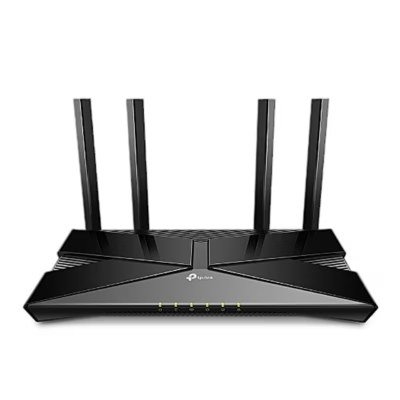
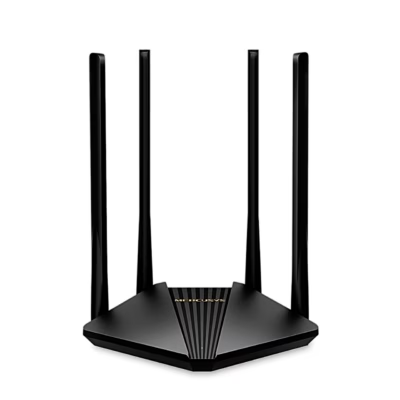
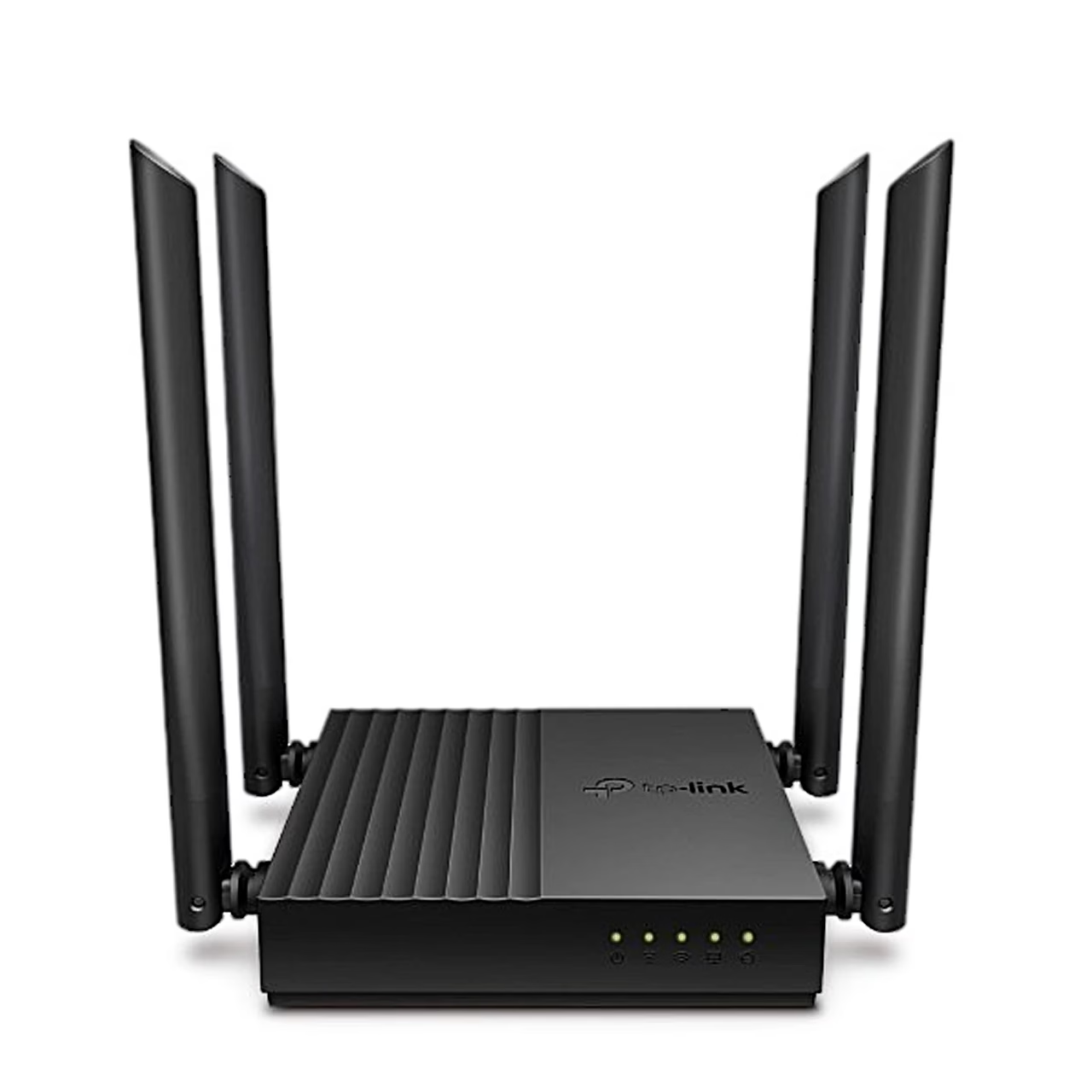
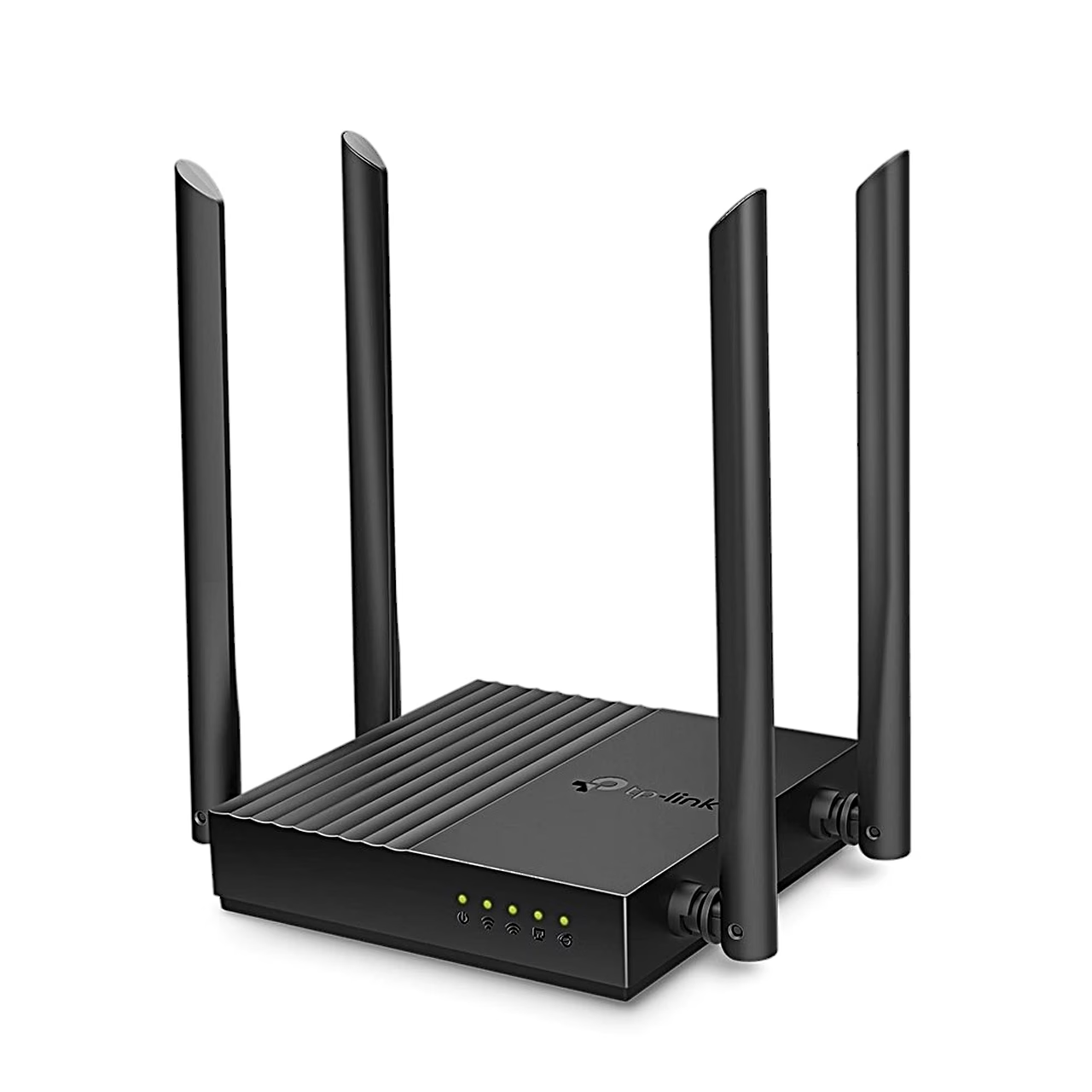
Dual-band Wi-Fi router TP-Link Archer C64, AC1200, black

  • Brand:
  • Product code: KILTPLROU0161
  • EAN: 1210002606936

The TP-Link Archer C64 dual-band Wi-Fi router transfers data at up to 1200 Mbit/s in total over Wi-Fi 5. The black wireless router has four external antennas, one WAN port and four LAN ports.

42,99 €

15+ pcs in stock

Delivery time 5-9 working days. Estimated delivery 24-30 November To a parcel machine from 2,99 €

You earn 86 points (0,86 €). Log in to see your balance. Programme terms

Delivery information

Estonia

  • Free shipping from 249,90 €
  • Courier 7,99 €
  • Omniva parcel locker 3,19 €
  • SmartPosti parcel locker 3,99 €
  • DPD parcel machines 2,99 €
  • Unisend parcel locker 2,99 €
  • DPD courier 6,99 €
  • Omniva courier 6,99 €
  • SmartPosti courier 7,49 €

Finland

  • DPD parcel machines 12,99 €
  • SmartPosti parcel machines 9,99 €
  • DPD courier 20,49 €

Latvia

  • Unisend parcel locker 3,99 €
  • Omniva parcel locker 4,99 €
  • SmartPosti parcel locker 4,99 €
  • DPD parcel machines 5,99 €
  • DPD courier 9,99 €
  • Omniva courier 11,49 €
  • SmartPosti courier 8,49 €

Lithuania

  • Unisend parcel locker 3,99 €
  • Omniva parcel locker 4,99 €
  • SmartPosti parcel locker 4,99 €
  • DPD parcel machines 5,99 €
  • DPD courier 10,49 €
  • Omniva courier 11,49 €
  • SmartPosti courier 8,49 €
  • Delivery time: 5 to 9 working days
  • Estimated delivery: 24-30 November 2026
  • When an order holds products with different delivery times, the delivery time is set by the longest one.
  • The delivery method does not change the delivery time. Delivery to some countries takes a few working days longer.
  • Free delivery from 249,90 €

The courier delivers to the front door, in an apartment building to the building's front door. Carrying the goods inside is not part of the service.

The final delivery methods and costs are calculated at checkout from the products in your basket. We always do our best to deliver every order as quickly as possible!

Payment methods

Our shop takes all the common payment methods.

Every payment goes through a secure environment and uses the current security standards of the bank or card provider (SCA, 3D Secure 2, PCI DSS). We neither see nor store your login or card details.

Pay straight from your online bank. You confirm with Smart-ID, Mobile-ID or an ID card.

The bank payment is started securely in your online bank and confirmed with SCA. Neither we nor Montonio see your login details. Banks of Estonia, Finland, Latvia, Lithuania and Poland are supported, among them Swedbank, SEB, LHV, Luminor, Coop Pank and Citadele, and also N26 and Revolut.

Visa, Mastercard, Apple Pay and Google Pay. Confirmed with 3D Secure 2.

You can pay with Visa and Mastercard cards (debit and credit), confirmed with 3D Secure 2. Card details are not stored on our servers: Montonio's partner Stripe processes them under the PCI DSS requirements. Apple Pay and Google Pay work too, where your device allows them.

You receive the invoice by e-mail and pay by bank transfer.

After you place the order we send a confirmation with the invoice by e-mail. You pay by an ordinary bank transfer and the order is not processed until the payment has arrived. To speed things up you can send us the payment confirmation after the transfer.

A machine-readable invoice delivered through the bank, for companies and institutions.

An e-invoice is a machine-readable invoice delivered through the bank, from which the bank can create a pre-filled payment order or set up an e-invoice standing order. Companies and institutions with e-invoice receipt switched on can accept it.

Don't want to pay for the whole order at once? See the flexible payment options.

You can choose between several flexible options: pay later at no extra cost, split the purchase into 3 parts or choose a longer hire purchase. There are also options for business customers, where input VAT can be reclaimed.

30 days to pay, with no interest and no fees.

Buy today and pay within 30 days; no fees are added. The decision is instant and you get the goods straight away.

Pay in 3 equal parts, no fees are added.

Split the purchase into three equal instalments, with no interest and no fees. You get the goods straight away; the first instalment is paid at checkout.

Hire purchase, 6-60 months: choose the schedule that suits you.

Choose an instalment period of 6-60 months and spread the cost flexibly. Interest and fees follow the terms of ESTO AS.

30 days to pay, no fees. Try it before you pay.

Buy today and pay within 30 days, with no interest or other fees. The first bill arrives next month, and if you like the payment can be split into 2 or 3 instalments.

Inbank hire purchase: spread the cost in monthly payments.

Choose a suitable payment schedule and spread the cost over several months. Interest and fees follow the terms of AS Inbank Finance.

Try it at home and pay only once you are happy.

Try the goods at home and pay only once you are sure of your choice. The decision is instant and the first bill comes later: especially good for furniture and home appliances, when you want to decide calmly.

Pay in 3 parts, no interest or service fee is added.

Split the purchase into three equal instalments, with no interest and no service fee. You get the goods straight away and pay the first instalment 30 days later.

Hire purchase, 6-48 months: suited to larger purchases.

Choose a payment schedule of 6-48 months and spread the cost over a longer period. Interest and fees follow the terms of Modena Estonia OÜ.

Hire purchase for businesses, 6-72 months, input VAT can be reclaimed.

Hire purchase for companies over 6-72 months. The contract is made with the company and the invoice carries VAT, which can be reclaimed as input VAT. Suited to spreading larger investments.

A first in Estonia: 3 instalments for business customers without a long contract.

A new solution that lets a company split the invoice into 3 equal parts without a classic hire purchase contract. Input VAT can be reclaimed, early repayment without fees. Ideal for short-term cash flow planning.

For businesses: a free schedule, input VAT back.

Hire purchase for companies, on a schedule of 30 days to 5 years. Repayments monthly, quarterly or yearly, early repayment without fees. The contract is made with the company and input VAT can be reclaimed.

Category:

Description

Dual-band Wi-Fi router with MU-MIMO

The dual-band Wi-Fi router TP-Link Archer C64 works on two bands at once: up to 400 Mbit/s on 2.4 GHz and up to 867 Mbit/s on 5 GHz. For the best coverage, set the antennas upright. MU-MIMO technology lets the router serve several devices at the same time on 5 GHz, provided the device also supports MU-MIMO.

Ports and status lights

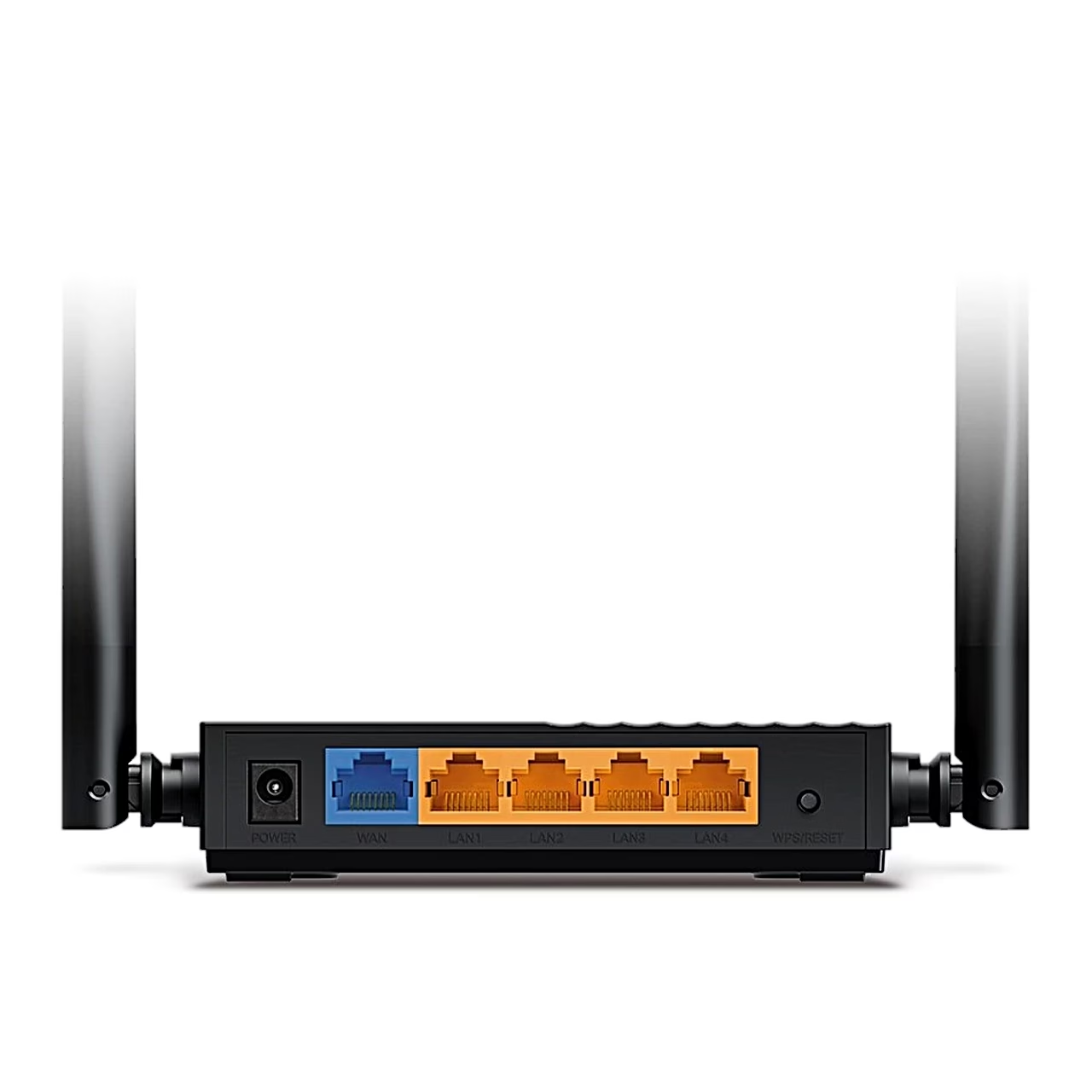
The WAN port takes a DSL or cable modem or an Ethernet wall socket. The LAN ports run at Gigabit Ethernet speed and serve a computer and other wired devices. The front lights show the status of power, both bands, the LAN connection and the internet. An orange internet light means the cable is connected but the internet service is not available.

Setup with the web interface and the Tether app

The router is set up in a browser at tplinkwifi.net or on an iOS or Android device with the TP-Link Tether app. The guest network gives guests internet access without exposing the main network. Parental controls block websites on a family member’s devices by keyword or address and set a daily time limit and bedtime. QoS gives a chosen device priority for a set time.

Next to an existing router, the Archer C64 also works as an access point that turns a wired network into a wireless one. In access point mode, parental controls, QoS and NAT forwarding are not available. The router supports IPv6, IPTV/VLAN setup and WPA3 encryption.

Installation

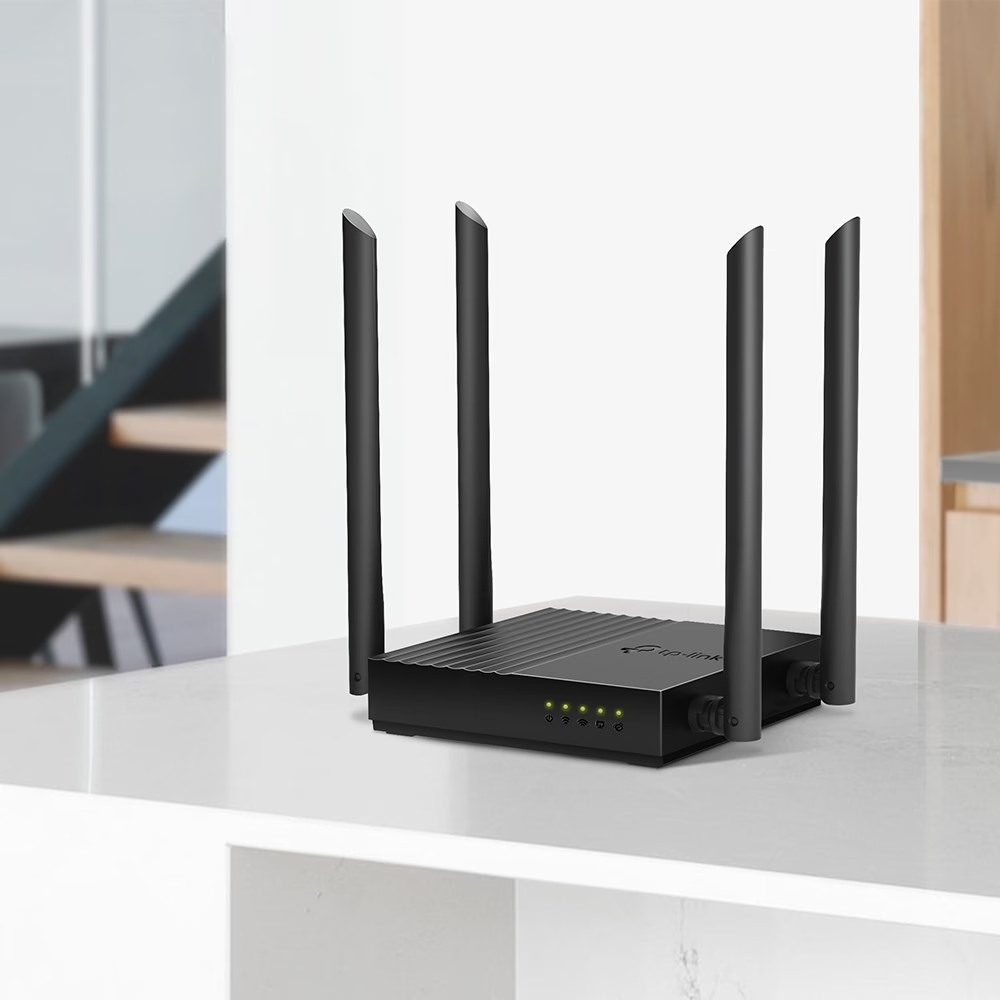
The router can stand on a shelf or desk or be mounted on a wall with two screws 87 mm apart. Each screw must be at least 8.3 mm long and protrude about 3 mm from the wall.

  1. Turn off the modem and remove its backup battery, if it has one.
  2. Connect the modem to the router’s WAN port with an Ethernet cable.
  3. Turn on the modem and wait about 2 minutes for it to restart.
  4. Connect the power adapter to the router.
  5. Check that the power, 2.4 GHz, 5 GHz and internet lights are on and solid.

A computer connects by cable to a LAN port or over Wi-Fi with the network name and password printed on the label underneath the router. A WPS-capable device can also connect at the push of a button: select WPS on the device and press the router’s WPS button within 2 minutes.

Maintenance and firmware updates

The web interface shows an icon when new firmware is available, and the update installs straight from the web page. Back up the settings before updating. To restore factory settings, hold the WPS/Reset button until all lights go out.

In the box

  • Wi-Fi router TP-Link Archer C64
  • Power adapter 12 V, 1 A
  • Ethernet cable (RJ-45)
  • Quick installation guide
Additional information

Dimensions 12 × 12 × 2,8 cm
Supported operating systems

Windows 7, Windows 10, Windows 2000, Windows XP, Windows NT, Windows 98SE, Windows 8, Windows 8.1, Windows Vista

Frequency bands

2.4 GHz and 5 GHz

Data transfer rate 2.4 GHz low band

400 Mbit/s

Data transfer rate 5 GHz low band

867 Mbit/s

Wi-Fi total data transfer speed

1200 Mbit/s

Number of antennas

4

Antennas

External

Number of LAN ports

4

LAN port type

Gigabit Ethernet

WAN port count

1

MU-MIMO

Yes

Security protocols

WPA, WPA2, WPA3, WPA-Enterprise, WPA2-Enterprise

Firewall

SPI

Processor clock speed

1200 MHz

Power adapter output

12 V, 1 A

Operating temperature

0–40 °C

Operating relative humidity

10–90%

Colour

Black

Features

Adapter included, LAN port

Wi-Fi standard

Wi-Fi 5

Product type

Table router

  • Only a customer who bought the product from us can review it: signed in, or through the link in the e-mail we send after the order. We check the purchase against the order.
  • We read every review before it is published (rules below).
  • The average rating is the plain average of all published ratings.
  • The buyer receives loyalty points for an approved review, whatever its rating or content. Text and a photo earn extra points. Reviews that earned points are marked.

  1. Write about the product and your own experience with it.
  2. A review may not contain personal data, links or advertising.
  3. Offensive or unlawful content is not allowed.
  4. Whether a review is published never depends on its rating.
  5. A photo must be taken by you, and the product must be clearly visible on it.
  6. A photo may not show people who can be recognised, or personal data such as documents, addresses or number plates.
  7. If we do not publish a photo, we send the reviewer the reason by e-mail.

Reviews

There are no reviews yet.

Bought this product from us? Sign in, or open the link in the e-mail we send after the order.

Goes well together

WiFi-pääsupunktid

Võrgulülitid

More from the same brand

See all TP-LINK products (95)

Similar products

See also:

Newsletter

New collections first

Only useful and necessary news: new products, items back in stock and member offers. No spam.

Create account

A link for setting your password will be sent to your e-mail address.

We send only useful and necessary information, and you can unsubscribe with one click. You confirm by e-mail before the first letter.

Your personal data will be used to support your experience throughout this website, to manage access to your account, and for other purposes described in our privacy policy.

Menu

Shipping country

AssistantBETA

AI helper

Hi!

I am your AI assistant! Ask me freely, in your own words, what you would like to find or what more information you need, and I will gladly help you!

You can also choose one of these:

    Cart

    Your cart is empty.